
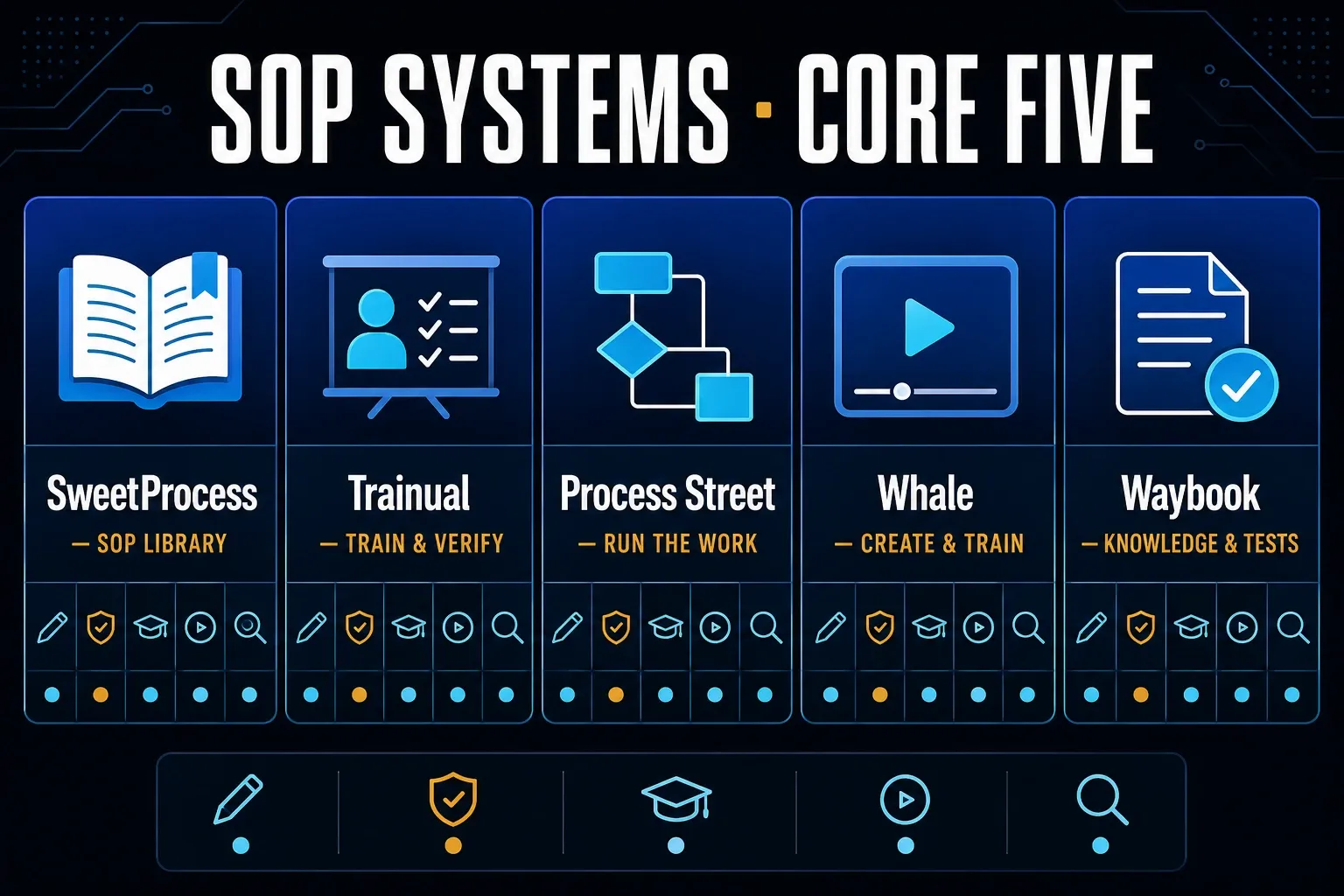
Choose SOP software around the work you need to control. For a small-business procedure library, start with SweetProcess. Shortlist Trainual when staff need assigned training and tests, Process Street when each task needs a completion record, and MaintainX when procedures belong to maintenance work orders. Scribe is worth trying when your immediate problem is documenting an on-screen task.
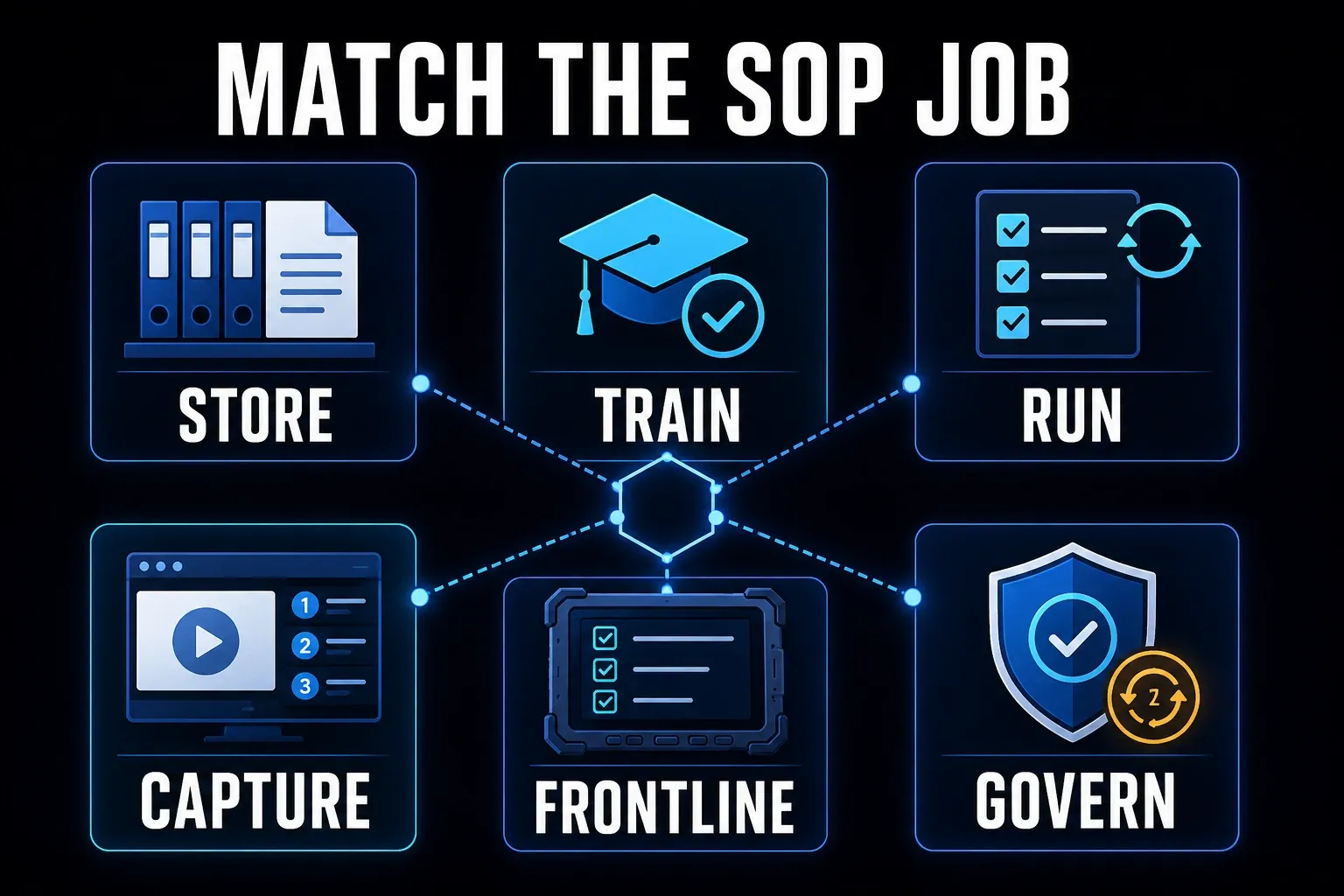
A document library, a training platform, and a recurring checklist solve different problems. Storing instructions does not establish that someone followed them, and capturing a walkthrough does not establish that its steps are correct. If you also need process maps or standalone capture tools, my process documentation software comparison covers that broader choice.
Pricing and feature checks: September 19, 2026; Scribe prices rechecked October 17, 2026. Dollar figures below are USD. Annual rates are monthly equivalents paid on an annual commitment unless stated as a yearly total. Taxes, user roles, implementation, add-ons, and negotiated terms can change your bill, and where a vendor page is localized or inconsistent, you should confirm the total before purchasing.
Best SOP software by use case
| Product | Best for | Current entry point | Main limitation to test |
|---|---|---|---|
| SweetProcess | Focused small-business SOP library | $495/year for up to 5, or $99/month for up to 10 | Seat cost as the team grows |
| Trainual | Training, tests, and acknowledgement | Custom quote plus a listed $1,000 implementation fee | Price for every learner and administrator |
| Process Street | Recurring executable procedures | Custom quote; 14-day Pro trial | Billable role mix and workflow limits |
| Whale | SOP creation plus training | Free; paid plans displayed from $249/month billed yearly | Creator, member, and AI-credit limits |
| Waybook | Company knowledge and tests | Core from $99/month billed annually for 20 members | Core versus Pro governance features |
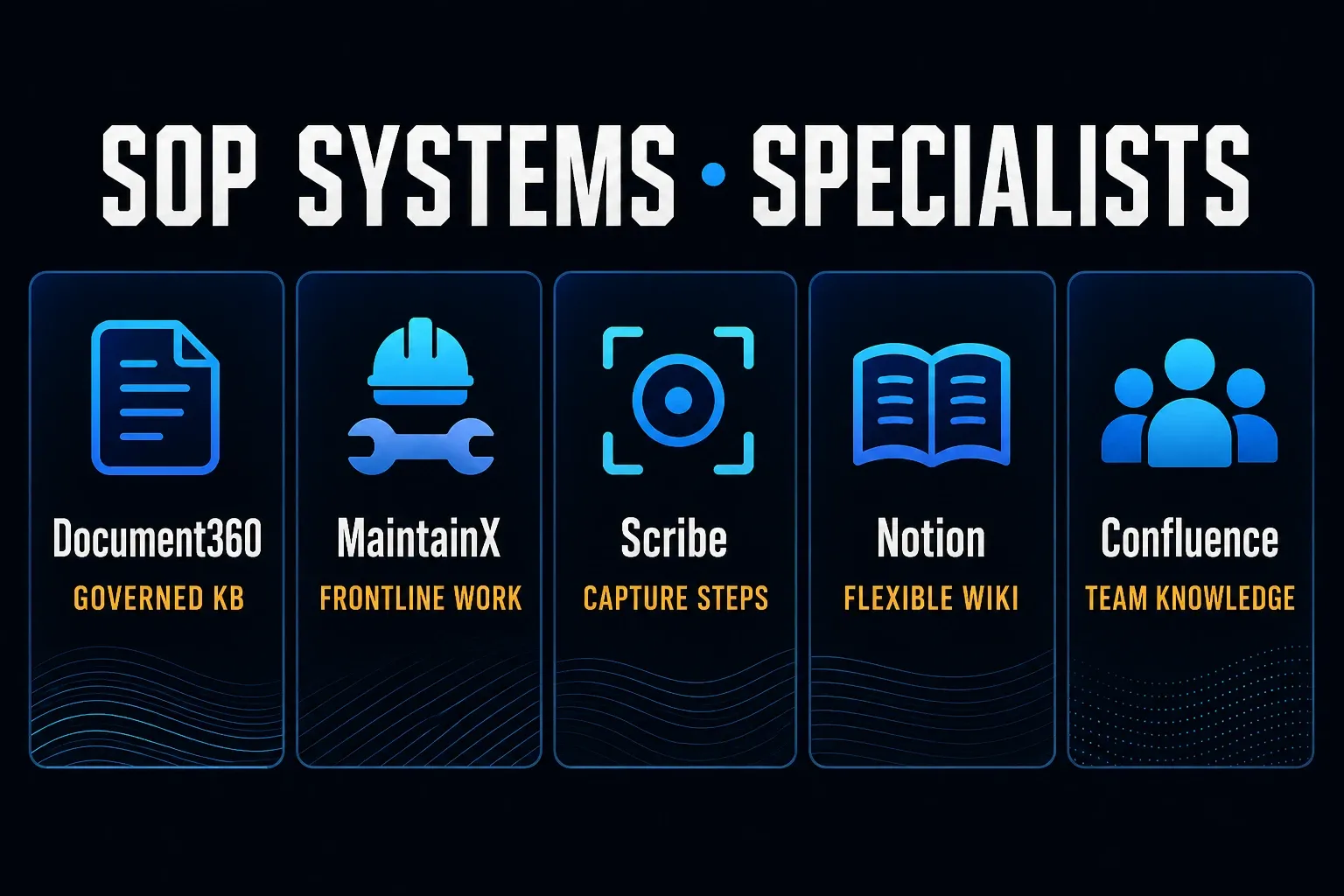
| Document360 | Governed internal or external knowledge bases | Custom quote; 14-day trial | Editors, projects, languages, readers, and add-ons |
| MaintainX | Frontline work, maintenance, and inspections | Free; Essential $20/user/month billed annually | Attached-procedure limits below Premium |
| Scribe | Automatic capture of screen-based procedures | Free; paid desktop capture and advanced exports | Approval, execution, and team-tier needs |
| Notion | Flexible low-cost wiki | Free individual plan; paid pricing depends on currency and billing | Free team blocks are limited; governance needs setup |
| Confluence | Knowledge beside Jira work | Free up to 10 users; paid quote depends on headcount and billing | Review discipline and configuration |
Don't compare the first prices as if they include the same thing. Some products charge every member, some separate creators from readers, and some quote the whole account, so use your real headcount and roles.
What separates SOP software from a document folder
A standard operating procedure is a controlled instruction for repeatable work. The page should tell the reader when to use it, who owns the work, what inputs are required, what to do, how to handle exceptions, and what evidence to retain.
Word files in a shared folder can hold that information. Dedicated software earns its cost when it reduces specific failures:
- Staff cannot find the current approved version.
- New hires read a procedure but never demonstrate competence.
- Steps are performed out of order or without required evidence.
- A subject-matter expert changes a process without review.
- Screenshots contain private data or become stale after a product update.
- The organization cannot export its knowledge when it changes vendors.
Use six checks when you trial a product: drafting and updates, finding the right document, review control, training or task execution, export quality, and total cost. A tool can organize a procedure without making its instructions accurate; give someone responsibility for checking those instructions.
How we evaluated the products
I checked vendor product pages, billing guides, and feature documentation; I haven't benchmarked speed. The recommendations reflect the jobs each product supports, and the pilot below lets you test those choices with your own procedures before buying.
I separate capture tools, wikis, training platforms, and workflow systems because the same feature label can mean different things. For example, a completed training assignment is not a record that a maintenance inspection was performed. I use published prices only where the plan and billing basis can be identified.
1. SweetProcess: best focused SOP library for a small business
SweetProcess is designed around procedures, policies, and processes. It includes version history, process maps, files and video, real-time collaboration, manager approval, data capture, and public or private knowledge bases. Its browser plugin can record a workflow into a procedure draft.
The current billing guide lists a Small Team annual plan at $495 per year for up to five users, plus $50 per additional user per year. The regular monthly plan is $99 for up to ten users plus $5 for each additional user. The yearly plan is $990 for up to ten, plus $50 per additional user. Invited users count even if they have not logged in.
SweetProcess suits an operations manual that needs owners, review, and task assignment without a custom wiki design. Before inviting everyone, count temporary and inactive accounts too. Check how your external readers and approvers will access the library.
2. Trainual: best for training and acknowledgement
Trainual ties procedures to assigned learning. Its Training Suite includes content creation, screen recording, verification reminders, group training, due dates, tests, and completion tracking. Core retains 30 days of version history. Pro extends that to 90 days and adds individual training paths and 300 e-signatures per year. Premium lists unlimited history and e-signatures, custom branding, a custom domain, and SSO. Its separately listed Operations Suite covers meetings, goals, and KPIs; ask which suite your quote includes.
The public page asks buyers to request a demo instead of showing a dependable subscription total. It also states that a one-time $1,000 implementation fee applies. Request one quote that includes authors, learners, managers, seasonal staff, archived users, required storage, and implementation.
Put Trainual on your shortlist when managers need to assign learning and inspect test or acknowledgement records. In the demo, ask how a read receipt, a test result, and an e-signature differ; none of them alone establishes that a worker can safely perform a physical task.
3. Process Street: best for running recurring procedures
Process Street turns procedures into workflows with tasks, forms, assignments, approvals, conditional logic, enforced task order, due dates, and run links. It fits work such as client intake, monthly close, incident response, access reviews, and quality checks where the organization needs a record of each run.
Startup, Pro, and Enterprise currently require a quote; the Pro trial lasts 14 days. Startup lists five users, ten guests, and unlimited workflows, tasks, forms, and pages, but also limits files and automation usage. The discounted Startup plan is for businesses with fewer than 15 employees and under $2 million in revenue. The billing guide counts admins, builders, and users as billable in organizations created on or after August 1, 2025. For older organizations, it lists admins and builders. Confirm the role mix before comparing totals.
Use a recurring task such as client intake to test Process Street. Assign it, take an exception branch, reject an approval, and inspect the resulting run record. Also check guest permissions and export options. Its Docs feature can hold reference procedures beside the work; you do not have to treat it as a checklist-only product.
4. Whale: best for creating SOPs and training from one library
Whale combines AI-assisted documentation, a step recorder, a screen recorder, video-to-SOP conversion, checklists, search, and training flows. Paid plans add different combinations of member access, creator seats, export, version history, permissions, review, and enterprise controls.
Whale’s main pricing cards show Free with one creator and ten members, Scale at $249 per month billed yearly with three creators, and Advance at $499 per month billed yearly with five creators. Enterprise pricing is on request. Scale lists additional creators at $29 per month and Advance at $39 per month. Confirm member limits, AI credits, export access, and the final quote before budgeting.
Whale is worth comparing when a few authors create procedures for a larger training audience. Ask the vendor to demonstrate what creators can edit and what members can only view or complete. The distinction between creator and member permissions can affect the bill more than the headline plan price.
5. Waybook: best for structured company knowledge and tests
Waybook combines unlimited documents with an AI content writer, branding, external sharing, flowcharts, a mobile app, progress tracking, revisions, tests, and its own screenshot capture feature. Pro adds controls such as advanced permissions, an audit log, document verification, enforced 2FA, SSO and directory sync, and migration support.
The pricing page currently shows Core at $99 per month when billed annually or $119 on monthly billing. Pro is $198 per month billed annually or $238 monthly. Both displays include 20 members, with additional-member charges of $5 or $6 for Core and $10 or $12 for Pro depending on billing. Enterprise is quoted.
Waybook suits a company handbook that also assigns learning and checks understanding. Price the controls you actually need: audit logs and document verification appear in Pro, so Core’s headline price is not the right comparison if those are requirements.
6. Document360: best for a governed knowledge base
Document360 supports public and private knowledge bases, revision history, reusable content, tags, custom review workflows, bulk article management, reminders, approval and publishing stages, PDF export, analytics, roles, permissions, SSO, SCIM, and regional data-center choices. It suits a larger documentation program that serves employees, customers, or both.
Document360 now uses customized pricing. Its page says team accounts, workspaces, languages, SSO and security needs, the public or private reader model, and AI Premium Suite usage affect the quote. A 14-day trial is available. Do not rely on old fixed-tier prices from third-party articles.
Choose Document360 when a controlled knowledge base is the main deliverable, and request a quote that covers your editors, reviewers, private readers, workspaces, languages, and security settings. Its AI Premium Suite is an add-on to weigh separately, so don't assume capture features come with it. Before agreeing to migration, test an export of a real procedure.
7. MaintainX: best for frontline maintenance and inspections
MaintainX puts procedures beside work orders, asset records, inspections, and mobile work. Its feature list includes signature capture and QR or barcode access, and the current pricing page marks conditional fields as beta. It's a specialist choice for maintenance and facilities work rather than a general substitute for every office SOP library.
Basic is free and allows unlimited procedure templates, but only two work orders with attached procedures per month. Essential costs $20 per user per month billed annually or $25 monthly, and allows three such work orders per month. Premium costs $65 per user per month billed annually or $75 per user on monthly billing, with unlimited work orders containing attached procedures. Enterprise is quoted. Requester accounts are free; a full user has a unique app login.
If your team performs a procedure every shift, test its attachment allowance before choosing a cheap plan. For disconnected work, MaintainX supports offline mode in its mobile app on all four plans for full users and administrators, not requesters. Connect first to cache the work orders you need, then check that your changes sync after reconnecting. The web app does not support offline mode. See the offline-mode requirements. Also check signatures, requester access, and multi-site permissions; those are separate requirements.
8. Scribe: best for capturing screen-based SOP drafts
Scribe records a browser or desktop task and generates a guide with screenshots and steps. Paid plans add desktop capture, screenshot editing and redaction, branding, and broader export options. It is useful when staff lose time recreating the same software walkthrough by hand.
At the October 17, 2026 recheck, the displayed Scribe pricing selector shows Pro Personal at $25 per seat/month billed yearly or $35 monthly, and Pro Team at $23 or $29 respectively with a five-seat minimum. Five Team seats total $115/month on annual billing or $145 monthly before tax. Confirm the selected billing period and workspace total. Desktop capture requires Pro or Enterprise.
Scribe is a good fit when the task mainly happens on screen and you want a draft made from captured steps. Check where approval, ownership, review dates, and branching will live after capture. For the choice between automatic steps and detailed image editing, see my Scribe versus Snagit comparison.
9. Notion: best flexible wiki for a team willing to design it
Notion lets a team connect procedure pages to databases for owners, departments, risk, status, and review dates. Its wikis support page owners and verification. This flexibility works well for teams that already manage projects and knowledge in Notion.
Free has unlimited pages and blocks for an individual, but limited collaborative blocks with two or more members, 5 MB per uploaded file, and seven days of page history. Plus provides unlimited collaborative blocks and 30-day history; Business provides 90-day history. Paid prices depend on billing and currency. Verification of individual pages outside a wiki requires Business or Enterprise. A verification badge is not a completed approval workflow.
Notion makes sense if your team already uses it and will maintain owners, review dates, and status fields. Try the permissions as an ordinary reader, not just as an administrator. Check whether that reader can tell an approved procedure from an unfinished or obsolete one.
10. Confluence: best for teams already working in Jira
Confluence organizes procedures into pages and spaces alongside team knowledge and Jira work. Templates and databases help structure the library. Standard adds advanced permissions, free guest access within its allowance, and public links; do not assume those controls come with Free.
Confluence Cloud Free supports up to ten users and 2 GB of file storage, Standard has 250 GB, and Premium adds unlimited storage and more administration features. Use Atlassian’s calculator for your actual headcount and billing cycle: monthly subscriptions count users, while annual subscriptions use user tiers. A single displayed per-user figure is not a universal rate.
Confluence is worth trialling when staff already look in Jira and Atlassian tools for work context. Give one person ownership of the page structure and test guest access, archived staff accounts, and your review process. Connecting a document to Jira does not by itself keep the procedure current.
Automatic SOP generators compared
An automatic SOP generator turns a task you perform, or a video or PDF you already have, into numbered steps with screenshots. That saves the typing and the cropping. What you get is a draft, though: the recording shows the path you took, not the rule that chose it. I'd pick a generator by the input you hold, then move the corrected draft into the library you chose above.
| Tool | What it reads | What you get | Free entry point |
|---|---|---|---|
| Scribe | Clicks in the browser; desktop apps on paid plans | Step guide with screenshots | Free browser capture |
| Tango | Clicks in the browser; desktop apps on Pro | Step guide; Pro adds PDF, HTML and Markdown export | 5 shared workflows, up to 10 users |
| Guidde | Step-by-step browser capture; MP4 or WebM upload on Business | Narrated video plus a written document | Up to 25 how-to videos |
| Whale | Step and screen recording, existing video | SOP library with checklists and training | 1 creator, 10 members |
| Clueso | Browser recording, existing or mobile video, slides, PDFs | Edited video plus step-by-step articles | 1 user, small monthly export allowance, watermarked video |
| SOPX | Phone video, built-in screen recording, PDF | Structured SOP; approval and version restore on Pro | 14-day trial with 5 AI SOPs |
| Routinly | Screen capture, uploaded video or audio, YouTube link | Numbered steps with a frame per step; PDF, Markdown, HTML or link | 3 videos a month |
| Kommodo | MP4, MOV or WebM up to 1 GB | Numbered SOP with screenshots; PDF, link or embed | 3 free SOPs |
Live capture or a video you already have
If the task happens on screen and you can repeat it, live capture gives the cleanest steps, because Scribe, Tango and Guidde log each click as it happens. Guidde's step-by-step capture produces a video and a written document from the same session, which helps when some readers want to watch and others want to scan.
When the knowledge already sits in a recording, such as a Loom walkthrough, a YouTube demo or a phone video of a machine, use a video-to-SOP tool. Clueso makes an edited video and an article from one recording. SOPX reads phone video and PDFs, which suits work away from a desk. Routinly takes files up to 500 MB or a YouTube link, and Kommodo takes MP4, MOV or WebM up to 1 GB. Neither lists Loom links, so download the Loom video and upload the file. Guidde accepts existing MP4 and WebM files only on Business and Enterprise.
Paid entry points differ in what they count. SOPX Pro is $9 per user per month on yearly billing or $12 monthly. Routinly Solo is $19 a month for 20 videos. Guidde Pro is $19 per creator per month on annual billing. Tango starts at $15 per user per month billed annually once a workspace has three or more users, and every member of an upgraded workspace needs a paid seat. Clueso Solo is $40 a month billed yearly. Kommodo doesn't publish a price for unlimited generation; Scribe and Whale prices are in their sections above.
My shortlist: Tango for a team documenting browser tasks, because ten people can share five workflows on the free plan before anyone pays. SOPX for physical work filmed on a phone, since the same plan reads the PDFs you already have and keeps approval and version history. For a one-off conversion of an existing video, start with Kommodo's three free SOPs.
Check a generated draft before anyone uses it
All eight tools make the same kinds of mistakes, so run one error hunt on every draft:
- Missing decision: the recording shows the path you took, not the condition that chose it.
- Wrong screenshot: the frame was grabbed before the result appeared, or after private data became visible.
- False step: a failed click, a correction or a filler word from the narration became an instruction.
- Hidden prerequisite: the recording starts after login, permissions or file preparation.
- No exception path: nothing covers invalid input, a timeout, a duplicate record or a rejection.
Record with synthetic customer data and notifications turned off, so real names and messages never reach the vendor. Then ask someone who didn't make the recording to follow the draft in a test environment, and fix every question they ask before the process owner approves it. If you'd rather build the procedure from your own captures, the guide to creating an SOP with screenshots walks through that manual route.
Best free SOP software
Free plans work for a pilot, but each one limits a different resource:
- Scribe: test browser-based step capture; desktop capture is paid.
- Whale: trial the workflow with one creator and ten members; confirm the current free allowance with the vendor.
- MaintainX: create unlimited procedure templates, but Basic permits only two work orders with attached procedures per month.
- Notion: maintain an individual library or test team collaboration within its block limit; Free is not an unlimited multi-member workspace.
- Confluence: run a small team knowledge base for up to ten users within Free storage and feature limits.
For a team of up to ten people, Confluence Free can be enough for a modest library within its storage and feature limits. Give each procedure an owner and a review date. Consider paid or specialist software when you need controls your current setup cannot provide, such as assigned training, task-run records, or restricted access.
Run a six-test pilot with real procedures
Choose three procedures: one browser task, one decision-heavy process, and one task performed away from a desk. Use synthetic customer and employee data. Do not record passwords, API keys, payment details, medical data, private employee records, or production credentials.
Give each finalist the same six tests:
- Author: time the first draft and one later screen change.
- Find: ask a new reader to locate the correct procedure from a realistic starting point.
- Control: revise one step, route it for review, reject it once, and restore the prior version.
- Use: assign training or run the task, then inspect what evidence the system retains.
- Export: export the procedure and check text, images, links, owners, decisions, and history.
- Price: quote all authors, reviewers, readers, learners, guests, contractors, add-ons, and implementation.
Record minutes, missing fields, and errors. Saving ten minutes on the initial draft, for example, wouldn't justify adding two minutes every time someone follows the procedure. That's a hypothetical trade-off to test, not a measured result for any product here.
Keep every SOP current after migration
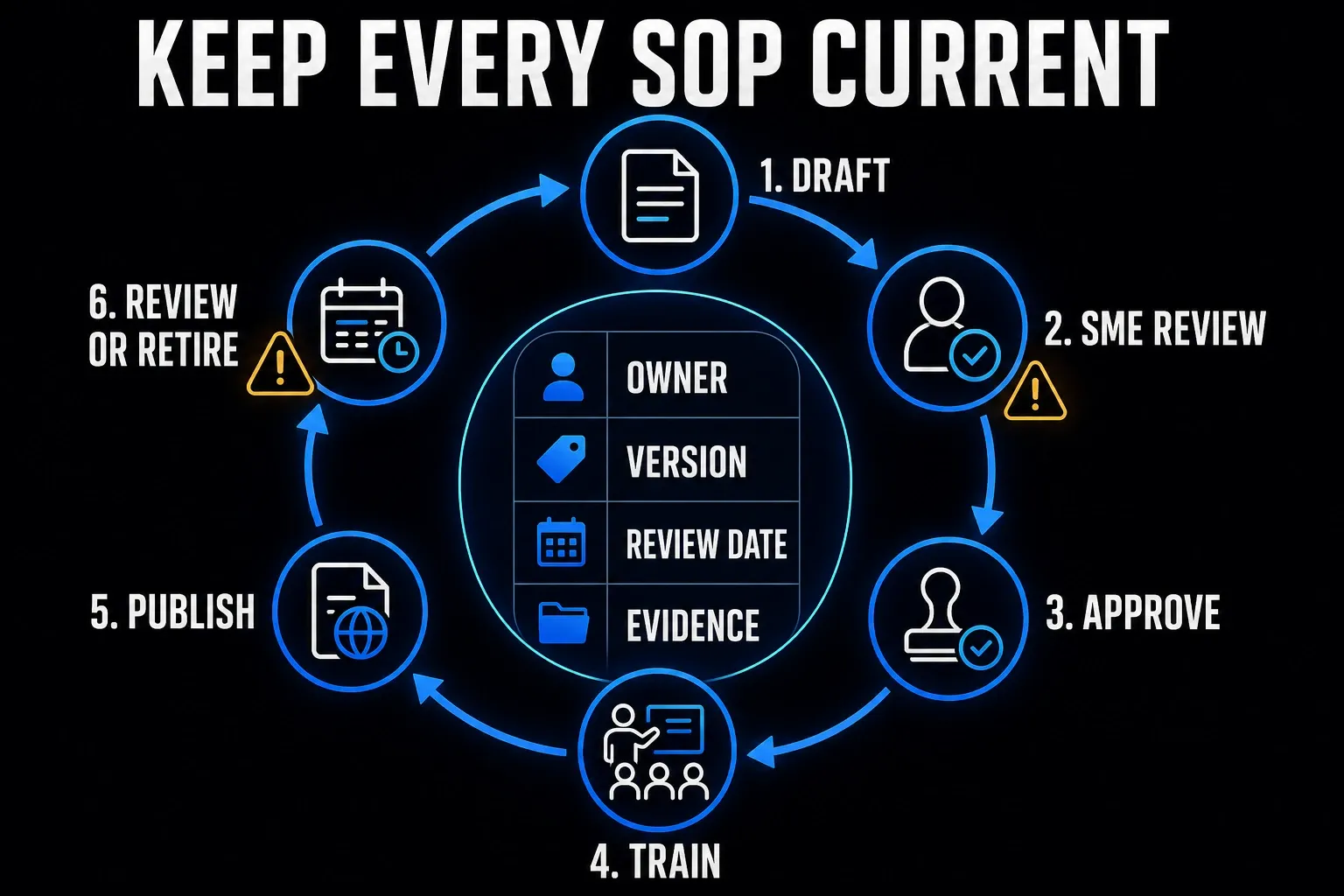
Record an owner, version, review date, and the evidence the task should leave for each controlled procedure. A practical lifecycle runs from draft through subject-matter review, approval, training and publication, then review or retirement. Here, publication means release for operational use, and trainees still need access to the approved training version beforehand. For high-risk instructions, arrange a separate competent reviewer.
Set event-based reviews alongside calendar reminders. Review after a software release, equipment change, incident, audit finding, new regulation, supplier change, or repeated worker error. When you retire a procedure, redirect or archive it so search does not keep sending staff to an obsolete copy.
Software features do not establish regulatory compliance on their own. If your organization works under a quality, safety, privacy, or records-retention regime, have the responsible specialist define validation, access, signature, retention, and audit-trail requirements before procurement.
SOP software FAQ
What is SOP software?
SOP software helps teams create, approve, organize, distribute, follow, train on, or track standard operating procedures. Products vary from simple wikis and screen recorders to controlled knowledge bases, training platforms, and executable workflow systems.
What is the best SOP software for a small business?
SweetProcess is a strong focused starting point. Trainual fits training-led teams, Process Street fits recurring execution, and Notion or Confluence can work as lower-cost wikis. Test three real procedures and price every user role before choosing.
Is there free SOP software?
Yes. Scribe, Whale, MaintainX, Notion, and Confluence have free plans, with different limits. Notion limits collaborative blocks for two or more members; MaintainX Basic permits two work orders with attached procedures per month; Confluence Free supports ten users and 2 GB of storage. Check capture, access, exports, and review controls before moving a live library.
What is an automatic SOP generator?
It's a tool that turns a recorded task, a video or a PDF into numbered steps with screenshots. Scribe and Tango capture clicks as you work; Clueso, SOPX, Routinly and Kommodo convert existing recordings. The output is a draft, so someone who knows the process still adds decisions and exceptions and approves it.
Can I turn a video into an SOP?
Yes. Upload the file to a video-to-SOP tool such as Kommodo (MP4, MOV or WebM up to 1 GB) or Routinly (up to 500 MB, or a YouTube link), or use SOPX for phone video of physical work. Narrated recordings give better step text. Check each screenshot against its instruction before you publish the result.
Can Microsoft Word or Google Docs be used for SOPs?
Yes. They can be enough for a small controlled library when ownership, permissions, approval, version naming, review dates, and search are managed consistently. Dedicated software becomes useful when training, execution, reporting, or governance failures cost more than the subscription.
What features should SOP software have?
Start with ownership, version history, review and approval, search, reader access, reusable templates, useful media, export, and retirement. Add training, signatures, task execution, mobile or offline access, analytics, SSO, SCIM, and audit logs only when the job requires them.
What is the difference between SOP software and process documentation software?
Process documentation software is the broader category and can include mapping and capture tools. SOP software focuses on controlled instructions for repeatable work, often with ownership, approval, training, acknowledgement, review, or execution features.
How do I migrate SOPs to a new platform?
Inventory the current library, identify owners, remove duplicates, mark obsolete files, map permissions, test representative imports, verify links and images, and retain a restorable export. Migrate in controlled batches and keep the old library read-only until users can find the approved versions.