
"YouTube detected this screenshot" is a message from Android, not a warning from a person at YouTube. On Android 14 and later, an app that asks for screenshot detection is told when you take a screenshot while one of its screens is visible, and Android shows you a notice that it noticed. The notice doesn't block the screenshot, and Android's documentation says the app receives the event, not an image of what you captured. I found no statement from Google or YouTube explaining why YouTube turned this on.
I read Android's developer documentation on screenshot detection and two news explainers from PiunikaWeb in October 2026. The search results for this phrase are Reddit threads, social posts, a GitHub issue about disabling it in modified apps, and a few explainers. Here is what each part of the notice means, what is still unknown, and how to grab a clean frame from a YouTube video when you only want the picture.
What the notice means, in short
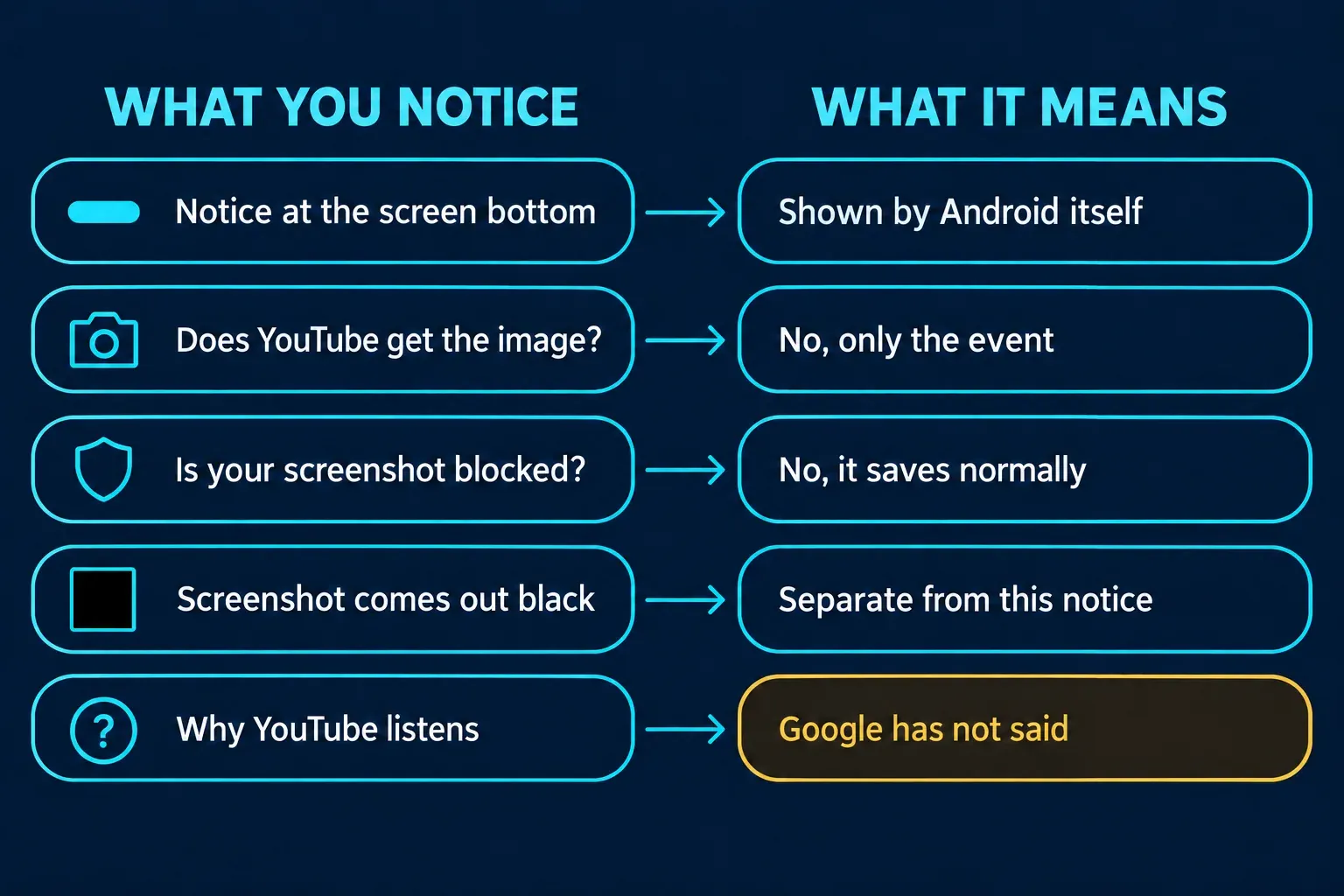
| Question | Answer | Where it comes from |
|---|---|---|
| Who shows the message? | Android, using the app's name | Android developer documentation |
| Does YouTube get your screenshot? | The Android screenshot-detection callback provides a signal, not the screenshot image; this does not establish all of YouTube’s data handling | Android developer documentation |
| Is the screenshot blocked? | No, it saves normally | PiunikaWeb explainers |
| Which phones? | Android 14 and later | Android developer documentation |
| Why does YouTube do it? | Not stated; the guesses I read are speculation | PiunikaWeb, attributed |
How Android's screenshot detection works
Android's page on detecting when users take device screenshots describes a privacy-preserving API that arrived in Android 14. An app declares the DETECT_SCREEN_CAPTURE install-time permission and registers a callback per activity. The callback runs, and the user is notified, when someone takes a screenshot while that activity is visible. The page shows an example of the system's message, "Pay app detected this screenshot," and tells developers to give users an in-context notice so the system message isn't a surprise.
Three limits from the same page explain most of the confusion:
- The callback doesn't provide an image. It's up to the app to decide what to do with the fact that a capture happened.
- In Android 14 the API only detects a screenshot taken with a specific combination of hardware button presses, and it doesn't detect screenshots taken with test commands such as ADB.
- The message is the system's, so the same style of notice appears in unrelated apps. PiunikaWeb's February 2026 explainer lists Duolingo, Reddit and YouTube, among others.
What YouTube does with it
PiunikaWeb's November 2025 report says YouTube started using Android's screenshot detection, that the notice is just an acknowledgment, and that users reported their screenshots still saved normally. It also says the rollout looked gradual, since not everyone saw the message at first. Its guess at the reason is engagement tracking, which it labels the most likely explanation. That is the author's speculation, and the report contains no statement from Google. I looked for one too and found none, so I wouldn't treat the reason as known. The same documentation says only the app decides what to do next, so what YouTube does with the signal isn't something Android's page can tell you.
Two things people confuse with this notice are worth separating. Apps that keep their content out of screenshots altogether use a different mechanism: Android's page says that to keep an activity's contents out of screenshots, the app sets the FLAG_SECURE display flag. PiunikaWeb draws the same line between an app detecting a screenshot and an app blocking one. And the notice isn't evidence that YouTube saw your image: the documentation says the callback doesn't provide one.
Can you turn it off?
I found no setting in Android's documentation to switch the notice off for one app. PiunikaWeb's explainer reports that a Reddit privacy discussion saw no simple toggle, because the permission is granted at install time and only tells the app that a screenshot was taken. That's a secondhand report, so check your own phone's settings if you want to look. Some threads suggest patched copies of the app that remove the detection. I wouldn't use one: they replace an official app with unofficial code just to hide a one-line message.
Take a clean frame from a YouTube video
If you found this page because you want a picture of a moment in a video, the notice only appears with a phone screenshot, and a computer is easier for a clean frame.
- Pause the video where you want the frame.
- Step with the keys: YouTube's keyboard shortcuts page says the period key skips to the next frame and the comma key goes back one frame while the video is paused.
- Capture just the player with Windows + Shift + S on Windows, or Shift-Command-4 on a Mac.
My guides to Snipping Tool on Windows 11 and taking a screenshot on a Mac cover the capture itself. Chrome also has Copy video frame and Save video frame as… on a paused video; on YouTube, right-click twice to get past YouTube's own menu. If the capture comes out black, my black screenshot guide shows how to tell a protected window from a broken capture.
If you're curious about other apps
The same Android message appears in many apps, which is why it's easy to read it as a social alert. For each app's rules on screenshot alerts and capture restrictions, my guides to WhatsApp, TikTok and Instagram go through what each app documents.
The short version
The message is Android's. It tells you the app learned that a screenshot happened. The Android detection callback does not provide the screenshot image or block capture. I found no public explanation from YouTube for its use of that signal. For a clean frame of a video, pause, step with the period and comma keys, and capture on a computer.