
No. Bumble has no screenshot alert of any kind: the person whose profile, chat or photo you capture isn't told, and a screen recording doesn't tell them either. Its notification settings list eight kinds of alert, from new matches to research surveys, and none of them is about screenshots. And unlike Badoo, which belongs to the same company, Bumble doesn't block captures, so a screenshot simply saves.
What's worth knowing is what Bumble does instead. A share button sends a profile to a friend without telling the person, unmatching can take away the chat you might need later, and the report form asks you for screenshots. Below is each case, what Bumble's help pages say about the chat after an unmatch, and what to save before you report someone.
Screenshotting Bumble, screen by screen
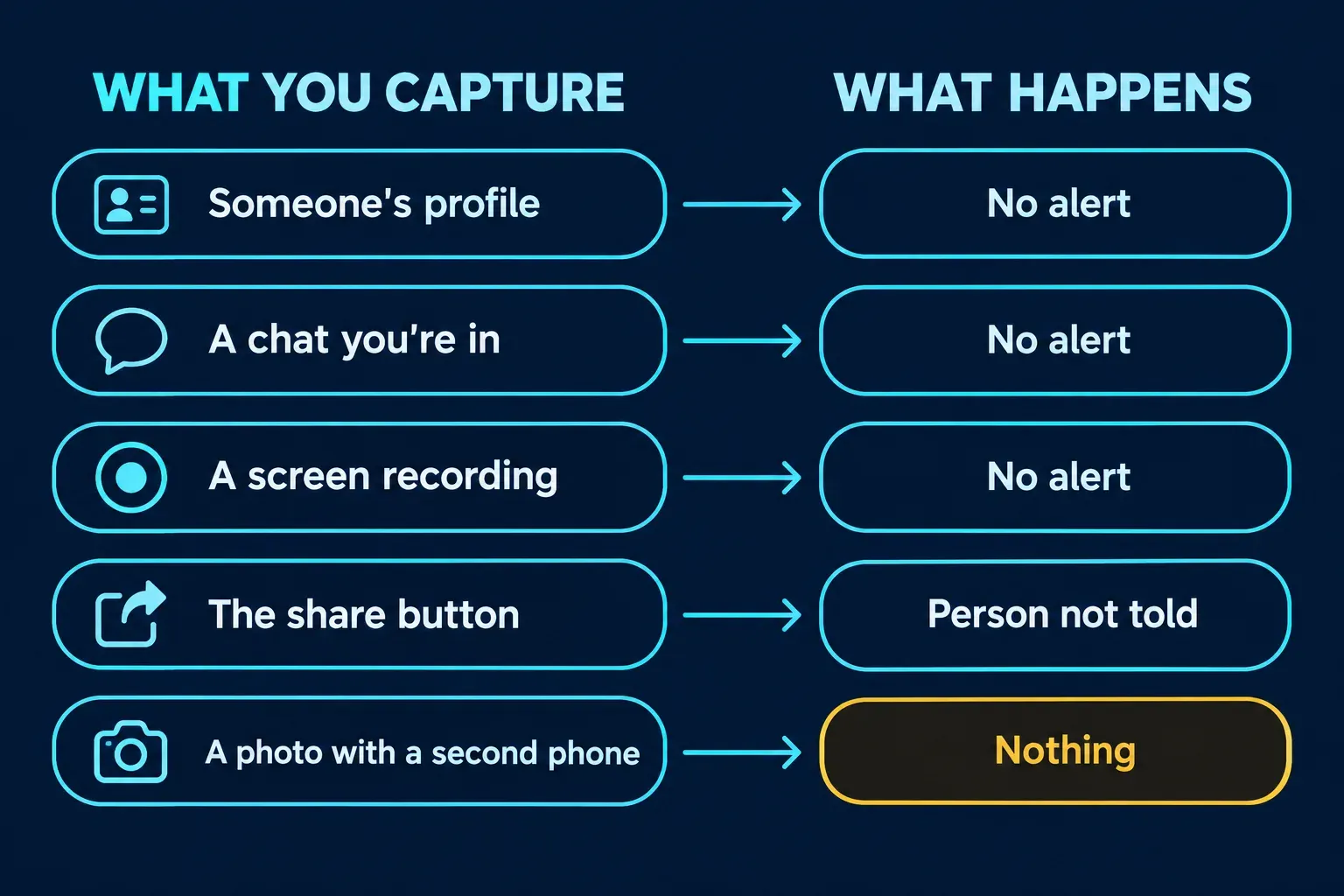
Bumble treats every screen the same way: no alert, and nothing stops the capture.
| What you capture | What happens |
|---|---|
| A profile while you're swiping | Saves normally, no alert |
| A match's profile | Saves normally, no alert |
| A chat, including photos sent in it | Saves normally, no alert |
| A screen recording | No alert |
| A profile sent with the share button | The person isn't told; your friend sees you recommended them |
| A photo of the screen taken with another phone | Nothing; Bumble can't see it |
Take the screenshot the usual way: side button and volume up on an iPhone with Face ID, as Apple's iPhone screenshot steps describe, or power and volume down on most Android phones, per Google's Android screenshot help. Bumble is a phone app only now. Its help center says Bumble web has been discontinued, so the desktop browser steps some guides still give no longer apply.
Does Bumble notify when you screenshot a profile?
No. There's no alert, badge or chat message, whether the profile came up while swiping or belongs to someone you've matched with. Bumble's page on managing notifications lists every alert you can get: new messages, new admirers, new matches, expiring matches, profile tips, Bumble events, news and updates, and research surveys. A search of Bumble's help center for "screenshot" finds no page describing an alert or a block. The pages that mention screenshots ask you to send them as evidence.
The published checks agree. Of the top ten Google results for this question, I could read six Bumble pages in full: EaseUS, ScreenSnap, wikiHow, Business Insider, The Match Artist and CheatScanX. All six report no notification, and ScreenSnap and The Match Artist add that paying for Boost or Premium doesn't change it.
Bumble even plans for it. Its privacy policy warns that "a person using the App might recommend you as a match to their Facebook friend by sharing a screenshot of your profile picture, whether or not that friend also uses the App." If you're writing your own profile, write it as though it'll be screenshotted, because Bumble assumes it will be.
Does Bumble notify when you screenshot a chat or a photo?
No. A Bumble chat can hold messages, GIFs, photos, videos and voice notes, and none of it is flagged when you capture the screen. That fits how quiet the app is generally. Bumble's page on your conversations says it doesn't show read receipts or anyone's online status, so the other person can't even see that you've opened the chat, let alone captured it. CheatScanX describes read indicators in Bumble chats; Bumble's own page says there are none.
The one thing Bumble does to photos in a chat is about what you receive, not what you save. Its Private Detector blurs images that look explicit and lets you view, delete, or block and report the sender. It doesn't stop or report a screenshot.
Why does Badoo block screenshots when Bumble doesn't?
Because the two apps made different choices, even though Bumble Inc. owns both. Badoo's guide to its safety features describes a Screenshot Block: on Android it stops anyone from screenshotting a Badoo chat or saving images and recordings, and on an iPhone it shows the person a warning when they try. Bumble's help center describes nothing like it.
That puts Bumble behind its biggest rivals on this point. Tinder and Hinge, both owned by Match Group, now stop profiles from being captured in some regions, India among them; my guides to Tinder screenshots and Hinge screenshots cover where and how. Most of the top results haven't caught up. SwipeStats' table also says Badoo notifies the other person, but Badoo's own page describes a block on Android and a warning to the person taking the screenshot on iPhone, not an alert to anyone else.
How to share a Bumble profile without taking a screenshot
Use the share button. Bumble's page on recommending people to others gives these steps:
- Open the profile and tap the share icon in the top right.
- Choose how to send it: text, email or another messaging app.
- Bumble creates a link that opens the profile in the Bumble app.
The page is clear that "the person you're recommending won't be notified that their profile was shared." Your friend needs a Bumble account to open the link, and they'll see that you recommended the person.
I'd use the share button instead of a screenshot whenever your friend is on Bumble, because the link only works inside the app and only for the person you sent it to. A screenshot is a copy of someone's photos that can be forwarded anywhere. If your friend isn't on Bumble, show them the profile on your own phone.
Does Bumble detect screen recording?
It doesn't. Bumble sends no alert about screen recordings, and the three readable top results that cover recording, ScreenSnap, EaseUS and CheatScanX, all report no alert.
The usual explanation for why is wrong, though. ScreenSnap says Bumble "never receives a signal" that a screenshot happened, and CheatScanX says screen recording works at a level "which apps cannot access or monitor." Phones can tell an app: Apple's documentation for userDidTakeScreenshotNotification says it's posted after a screenshot is taken, Android 14 added a screenshot detection API, and Android 15 lets an app learn when it's being screen recorded. On Android 14 and later, an app that uses this makes Android show you a small notice as you take the screenshot. Whether the app passes anything on to another person is a separate choice, and Bumble's pages describe no such step.
I screenshotted and got unmatched. Did Bumble tell them?
No. Nothing in the app told your match about the screenshot, so an unmatch right after it is timing, not an alert. Bumble does tell you when someone ends a chat: its page on matches that have disappeared says, "If someone unmatches you, we'll let you know they ended the chat." That notice is about the unmatch, and it says nothing about screenshots.
What happens to the conversation afterwards is less clear, because Bumble's help pages disagree:
- Bumble's unmatching page says the conversation "will end for both of you" and the other person can't "view the conversation history." It adds that unmatching is permanent.
- Its conversations page says "the other person will still have their copy of the messages."
- According to the disappeared-matches page, if someone unmatches you, the conversation "will remain visible in your Chats" so you can still report them. A chat you unmatch by mistake, it notes, can't be recovered.
So don't count on the chat staying on either side. If it matters, I'd save the parts you need before anyone unmatches, because Bumble's own pages can't agree on what will be left afterwards.
How to report someone on Bumble, and what to save first
Capture first, then report. Bumble's advice for people dealing with a scam is plain: "Save evidence before you block them: Keep screenshots, usernames, receipts, dates, and amounts. Keep a copy somewhere they can't access," from its page on recovering from romance fraud.
To report a person, the page on reporting someone gives these steps:
- Open the person's profile.
- Scroll to the bottom.
- Tap Report, or Block and report, and follow the prompts.
For a single message, reporting inappropriate messages works from the chat: tap the three dots, choose Report and pick a reason, or tap and hold the message itself. Reports are anonymous, and you can follow yours under Profile > Help Hub (the question-mark icon) > Notifications.
If you've already unmatched and lost the chat, Bumble asks you to contact Support with the person's name, your reason and "any screenshots of your conversations (if available)." That's the case your saved screenshots are for. If someone has shared intimate images of you, use Bumble's form for non-consensual intimate imagery, which asks you to upload screenshots of the sharer's profile and is open to people without a Bumble account.
Can you screenshot Bumble without the other person knowing?
Yes, in the sense that Bumble never tells them. What you do with the screenshot is a separate question. Bumble's terms restrict content that "shows another person which was created or distributed without that person's consent," and they ban software or scripts that "otherwise copy profiles." Its community guidelines count sharing or threatening to share intimate images without consent as sexual harassment.
A screenshot for your own notes, or as evidence for a report, is the ordinary use. Posting a match's photos or messages where other people can see them is the use Bumble's rules are written against, whatever the app does or doesn't notice.
Before you send a Bumble screenshot to anyone
A Bumble capture carries more than the line you want a friend to read. A profile shows a first name, age, photos and often a job or school, and a chat shows the person's name and photo at the top. Crop to the part that matters and cover the rest.
My guide to redacting personal information in a screenshot lists what tends to slip through, and the one on blurring a screenshot covers the built-in tools on iPhone and Android. I'd use a solid box for names rather than blur, since blur and pixelation can leave enough behind to read. If you're keeping chat screenshots as evidence, keep the untouched originals and share only redacted copies.
For one screenshot, your phone's markup tool does the job. If you redact screenshots on a computer every week, for moderation queues or support tickets, Snagit's blur and shape tools cut the repeat work, and my guide to blurring and redacting in Snagit shows them.
How Bumble compares with other apps
Bumble is at the open end: no alerts and no blocking anywhere. Tinder and Hinge send no alerts either but block profile captures in some regions, and Badoo blocks chat screenshots on Android. Snapchat is at the other end and flags screenshots of Snaps, chats and Stories. Telegram sends a notice in Secret Chats and for timed media, Messenger and Instagram alert in disappearing-message chats, and WhatsApp sends no alert but blocks captures of view once media. My guides cover Snapchat, Telegram, WhatsApp, Instagram, Facebook and Messenger and TikTok one by one.
Bumble screenshots in one paragraph
Bumble never notifies anyone about a screenshot or a screen recording, and it doesn't block captures the way Badoo does on Android. To show a friend a profile, the share button is the cleaner route, and the person isn't told about that either. Bumble's help pages disagree on what's left of a chat after an unmatch, so save what you need first, report from the profile or the chat, and cover names and faces before a screenshot leaves your phone.