
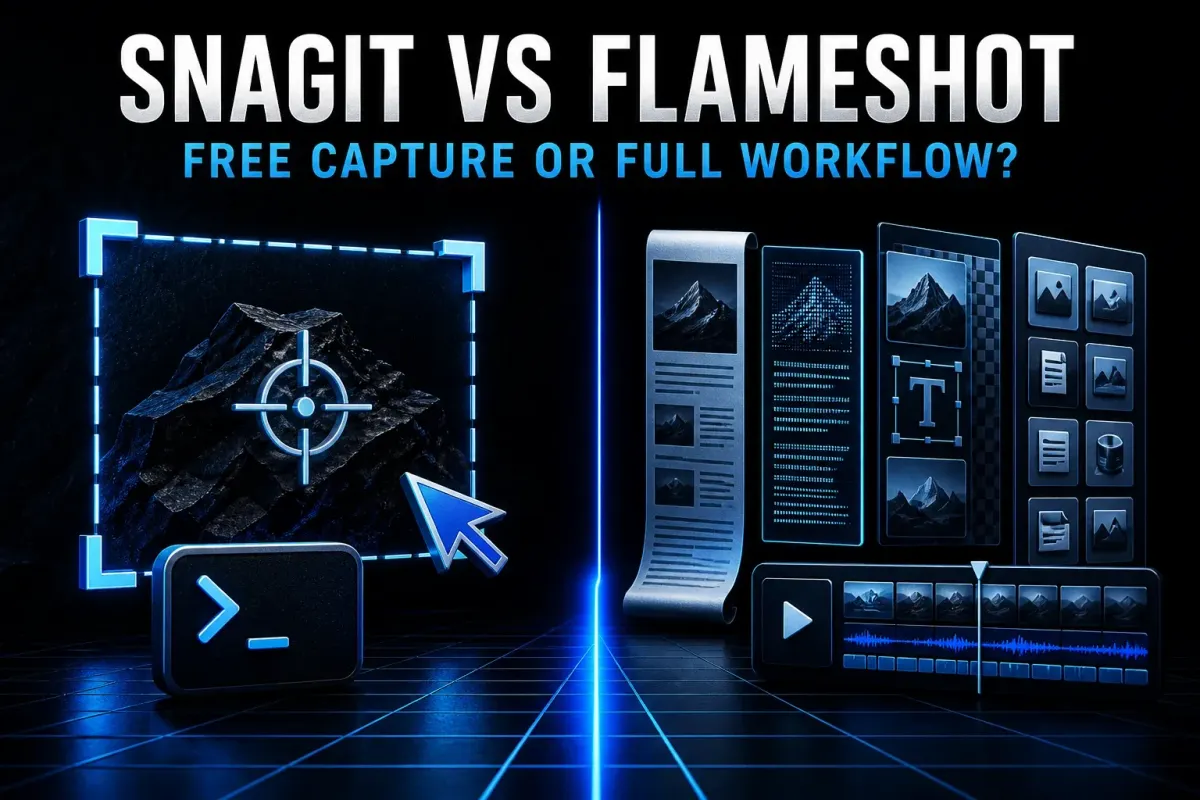
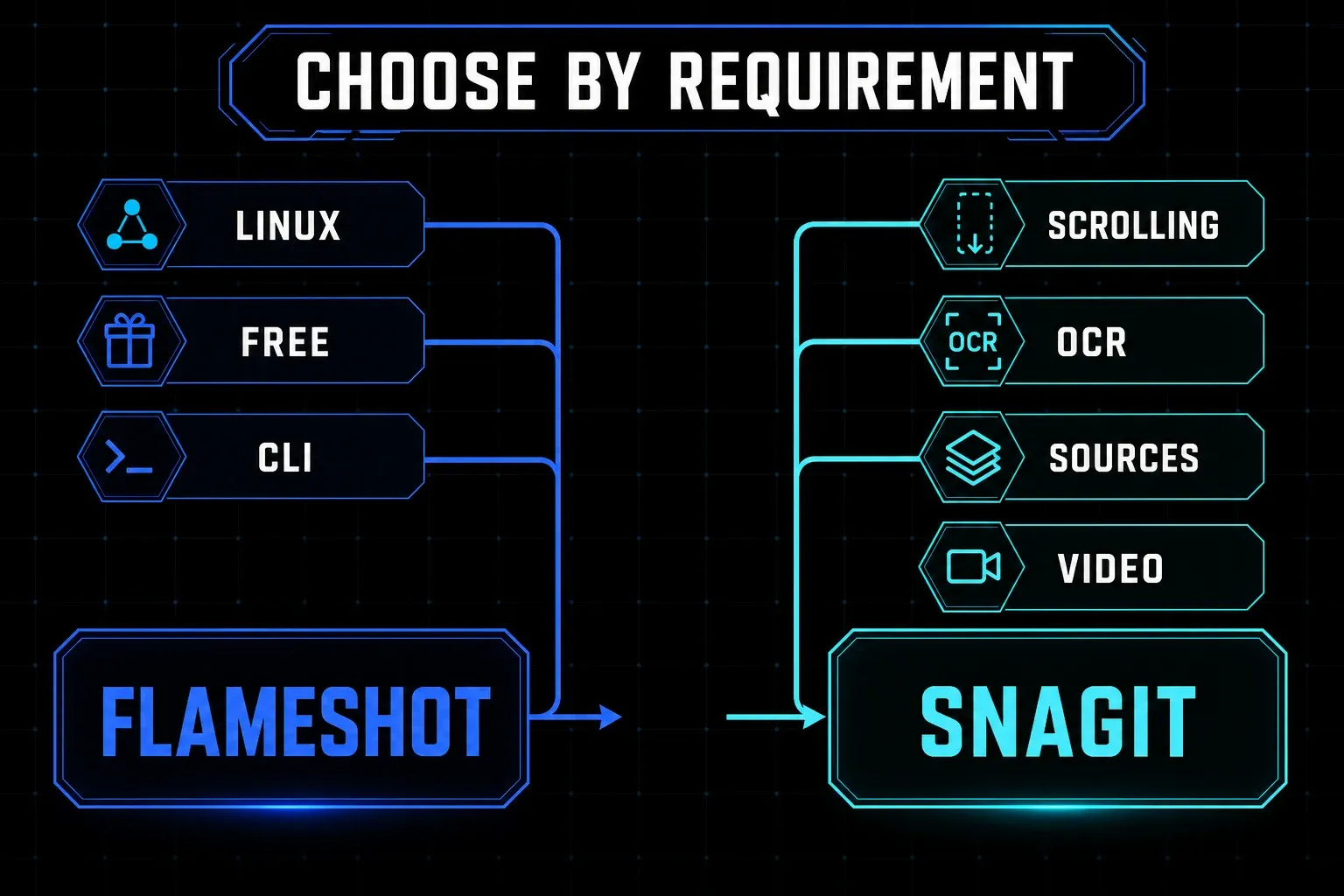
These two solve different problems. Flameshot gives you free, open-source still capture on Linux, Windows, or Mac, as long as you're comfortable setting up shortcuts and platform permissions. Snagit is the choice when your work depends on scrolling capture, OCR, editable source files, a searchable Library, repeatable documentation, or screen video. Linux decides the comparison immediately, because Snagit has no Linux desktop download.
Flameshot isn't a cut-down Snagit clone. It's a focused capture and in-capture annotation tool with strong keyboard and command-line control. Snagit costs more because it carries work past the first PNG: capture, revise, find, reuse, and record.
Checked September 18, 2026 against Flameshot 14.0.0, the current Flameshot repository and documentation, and current TechSmith pages. I did not run a controlled speed benchmark on identical computers. SnagitPro is independent and is not affiliated with or endorsed by TechSmith or the Flameshot project.
Snagit vs Flameshot in 30 seconds
| Decision point | Flameshot | Snagit |
|---|---|---|
| Best fit | Fast still capture, annotation, shortcuts, and scripts | Maintained documentation, reusable sources, and short video |
| Pricing model checked | Free and open source | Annual per-user subscription at live checkout |
| Platforms | Linux, Windows, and macOS download routes | Windows 10/11 and macOS Golden Gate 27, Tahoe 26, or Sequoia 15 |
| Current release evidence | 14.0.0, released June 19, 2026 | Current subscription release maintained by TechSmith |
| Still capture | Region, screen, full desktop, monitor, delay, clipboard, file, raw PNG, and pin actions | Region, window, scrolling, panoramic, delay, presets, and more |
| Annotation | Arrows, lines, marker, text, shapes, pixelate, counters, and color tools | Arrows, callouts, steps, stamps, themes, templates, text tools, and redaction tools |
| Automation | Detailed CLI, custom actions, hotkeys, and raw output | Presets, hotkeys, share destinations, and repeatable capture workflows |
| Scrolling and OCR | Not documented as native features in the current official scope | Scrolling capture and text recognition are current features |
| Source management | Save or copy the finished image; no documented searchable source Library | Editable SNAGX files, Library search, filters, and tags |
| Video | No native recorder documented in the current official scope | Screen, webcam, microphone, system audio, trim, combine, and GIF |
Start with the platform, then compare features
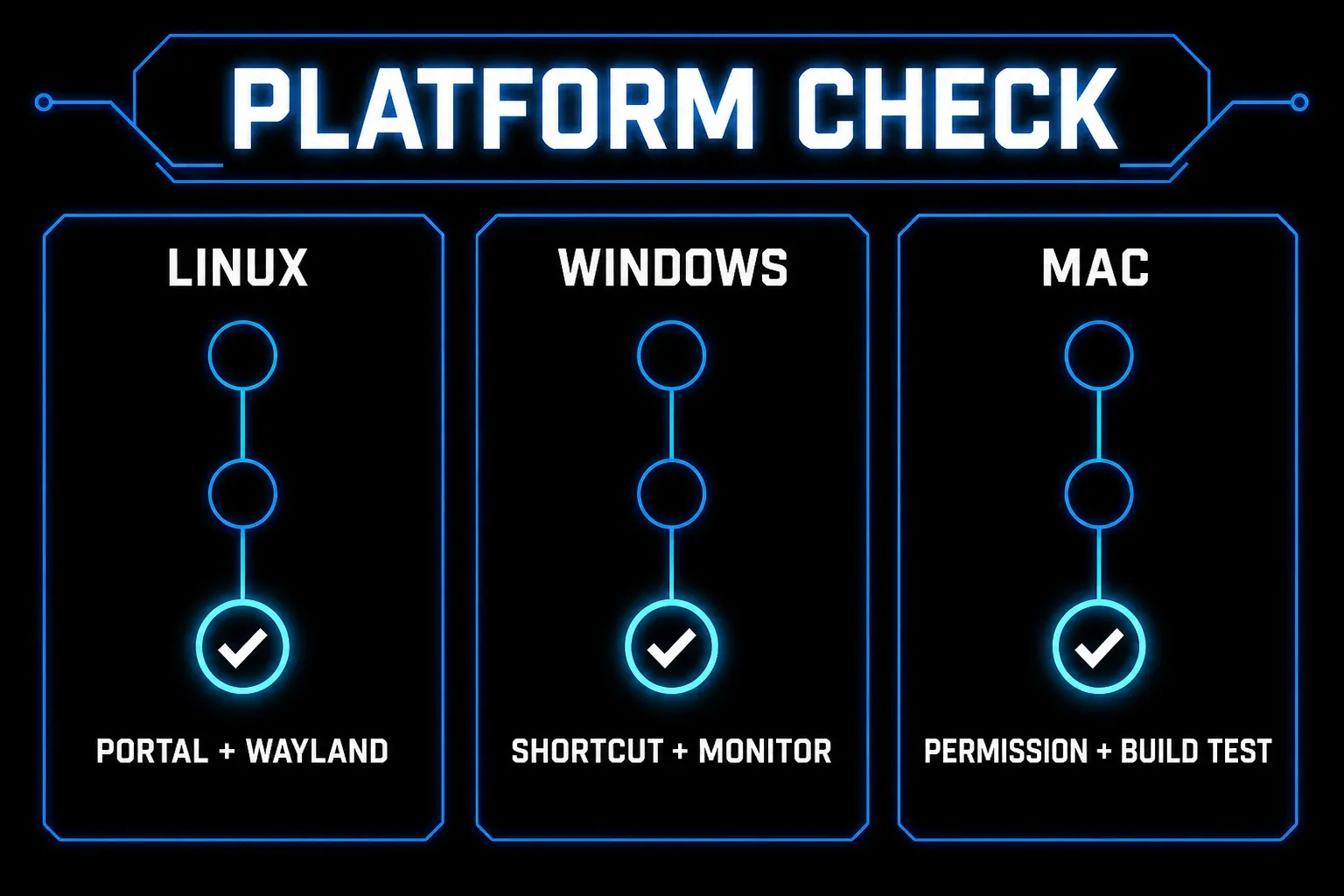
Flameshot's current download page offers Windows, macOS, and Linux routes. TechSmith's current system requirements list Windows 10 and 11 plus macOS Golden Gate 27, Tahoe 26, and Sequoia 15. If you need a native Linux desktop app, Flameshot wins this pair before pricing or annotation enters the discussion.
Linux still needs a setup check. Flameshot 14.0.0 changed its capture path: the June 19 release notes say Linux now uses xdg-desktop-portal as the primary screenshot route, and Wayland requires it. Minimal X11 window managers can use a deprecated legacy fallback when a portal backend is missing. Treat that fallback as a compatibility route, not a long-term platform promise.
On Windows you can choose an installer or portable ZIP, and the official Windows installation guide also lists WinGet, Scoop, and Chocolatey. On macOS, Flameshot needs screen-recording permission even though it captures still images. Apple's permission label covers access to screen pixels; it doesn't mean Flameshot records video.
Mac compatibility needs one more caution. The v14.0.0 release assets currently list both ARM64 and Intel DMGs, yet the same release notes say the Intel build was no longer included, because beta binaries were reported as not working and the maintainer could not troubleshoot them. That conflict makes Intel support a verification item rather than a promise implied by the filename. Follow the macOS permission steps, then test capture, clipboard, global shortcut, and restart behavior on your exact Mac.
Flameshot is built for fast still capture and annotation
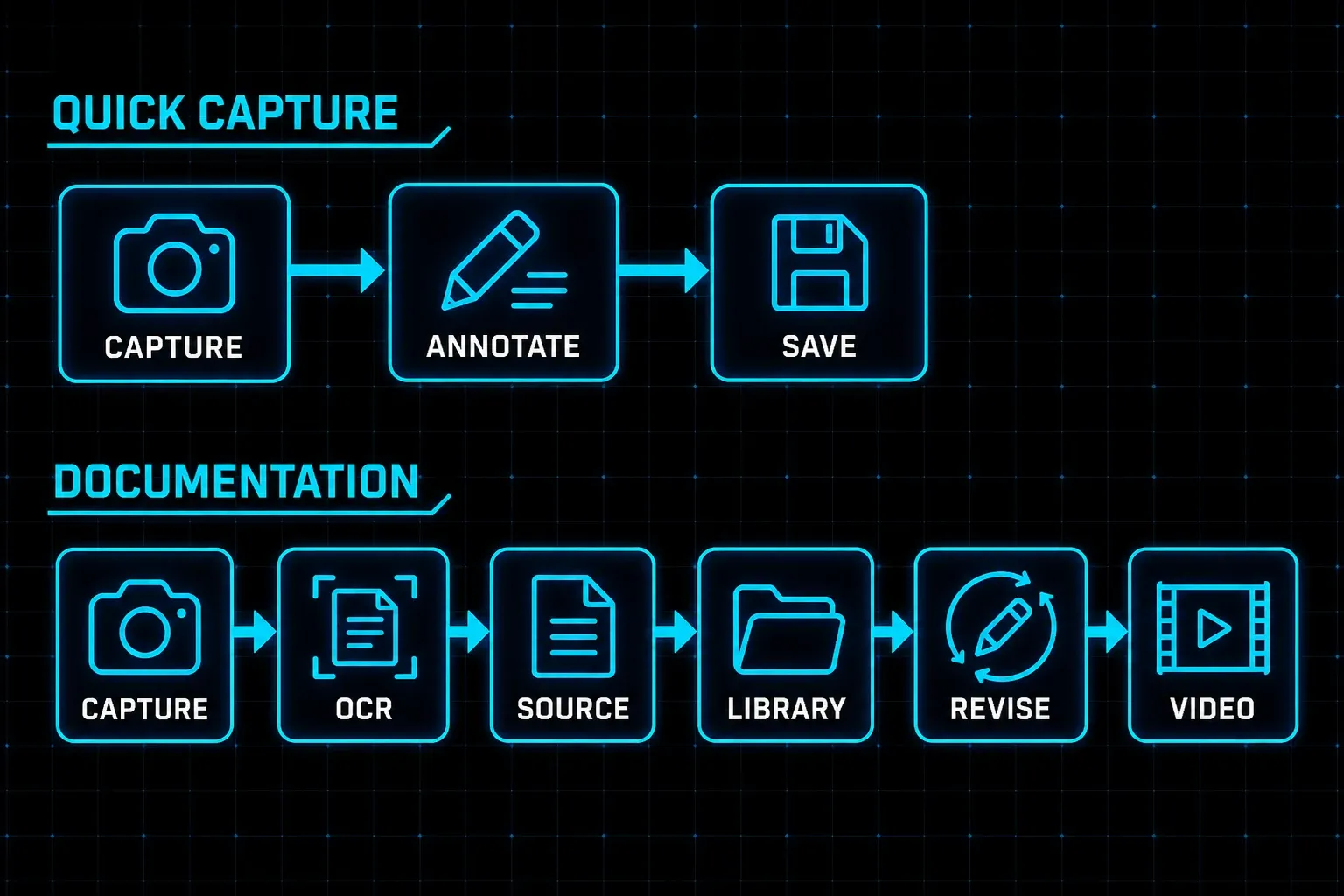
Flameshot keeps the working tools right on the capture overlay. Its current feature page lists arrows, lines, a marker, text, rectangles, circles, blur or pixelation, numbered counters, filled boxes, and color controls. You select an area, add the explanation, then save or copy without ever opening a separate editor.
That design suits a bug report, a support reply, a code-review note, or a one-time instruction where the final PNG is enough. The numbered counter is useful for marking an order. Pixel nudging and selection resizing by keyboard help when the capture boundary must be exact. A pinned capture can keep a reference visible while you work in another window.
The tradeoff shows up when the image has a second life. The current official Flameshot scope doesn't document a searchable capture Library, editable object-based source format, OCR, reusable page templates, native scrolling capture, or screen video. You can combine Flameshot with folders, scripts, another editor, or a recorder — that can be a good system, but those extra applications belong in the comparison too.
Snagit earns its price after the first screenshot
TechSmith's current Snagit page covers scrolling capture, text recognition, steps, callouts, a searchable and taggable Library, screen video, webcam, audio, trimming, clip combining, and GIF creation. Snagit also keeps editable work in SNAGX files. Read the SNAGX file guide before you commit to a team archive format.
All of that matters when a screenshot has to be found and changed next month. OCR can copy text from pixels. Editable sources preserve annotation objects. Tags and filters help retrieve a capture by application or date. Templates and styles reduce visual drift across a long guide. The Library backup guide explains what to protect before moving computers or changing storage.
Snagit can still be excessive for a disposable capture. If your whole process is select, draw one arrow, copy, and delete, Flameshot may finish the job with less interface and no subscription. If each image enters a review, revision, localization, or publishing cycle, the source-management layer can remove repeated work.
Scrolling, OCR, and video are hard workflow gates
Don't choose on annotation parity if a required capture type is missing. Snagit documents vertical and horizontal scrolling capture for pages and wide data, and its scrolling capture guide covers automatic and panoramic routes when a browser or nested panel refuses to cooperate. Flameshot's current official feature and command pages do not document a native scrolling mode.
The same rule applies to text extraction. Snagit's text recognition can copy or edit text inside a capture; the OCR workflow covers Grab Text and selection checks. Flameshot can place new text on an image, but its current documentation doesn't describe native OCR. Bolting on Tesseract or another OCR application is a separate workflow, with its own language and accuracy checks.
Video ends the comparison quickly. Snagit records the screen, webcam, microphone, and system audio, then provides basic trimming, clip combining, frame capture, and GIF output. Flameshot's current documented scope is still screenshots. If a 90-second narrated walkthrough is part of the job, use Snagit or pair Flameshot with a maintained recorder. The Snagit recording guide owns the full setup.
Flameshot has the stronger command-line story
Flameshot's command-line guide documents GUI, monitor, and full-desktop capture. You can set a delay, save path, region, clipboard action, raw PNG output, upload action, pin, or printed geometry. Several final actions can run together. For example, one command can open a region capture, copy the result, save it, and pin it.
This is useful for repeatable support work. Bind a delayed region capture to a desktop shortcut, send raw PNG bytes into a script, or save every accepted capture to a project folder while also copying it. On Windows, use flameshot-cli when you need console output; regular flameshot.exe still accepts the supported arguments.
Inside the capture overlay, letter shortcuts select pencil, line, arrow, rectangle, circle, marker, text, pixelate, and color picker. The current binding guide says these defaults are configurable. Linux global Print Screen often needs a desktop-environment binding, and an existing Spectacle or GNOME screenshot shortcut may need to be released first.
Snagit uses hotkeys and presets, but it's less suited to shell pipelines and raw stdout. Pick its automation route when the repeatable unit is a named capture preset, destination, or documentation style. Pick Flameshot when the repeatable unit is a command, region, delay, or file action.
Keep private captures local and cover sensitive text
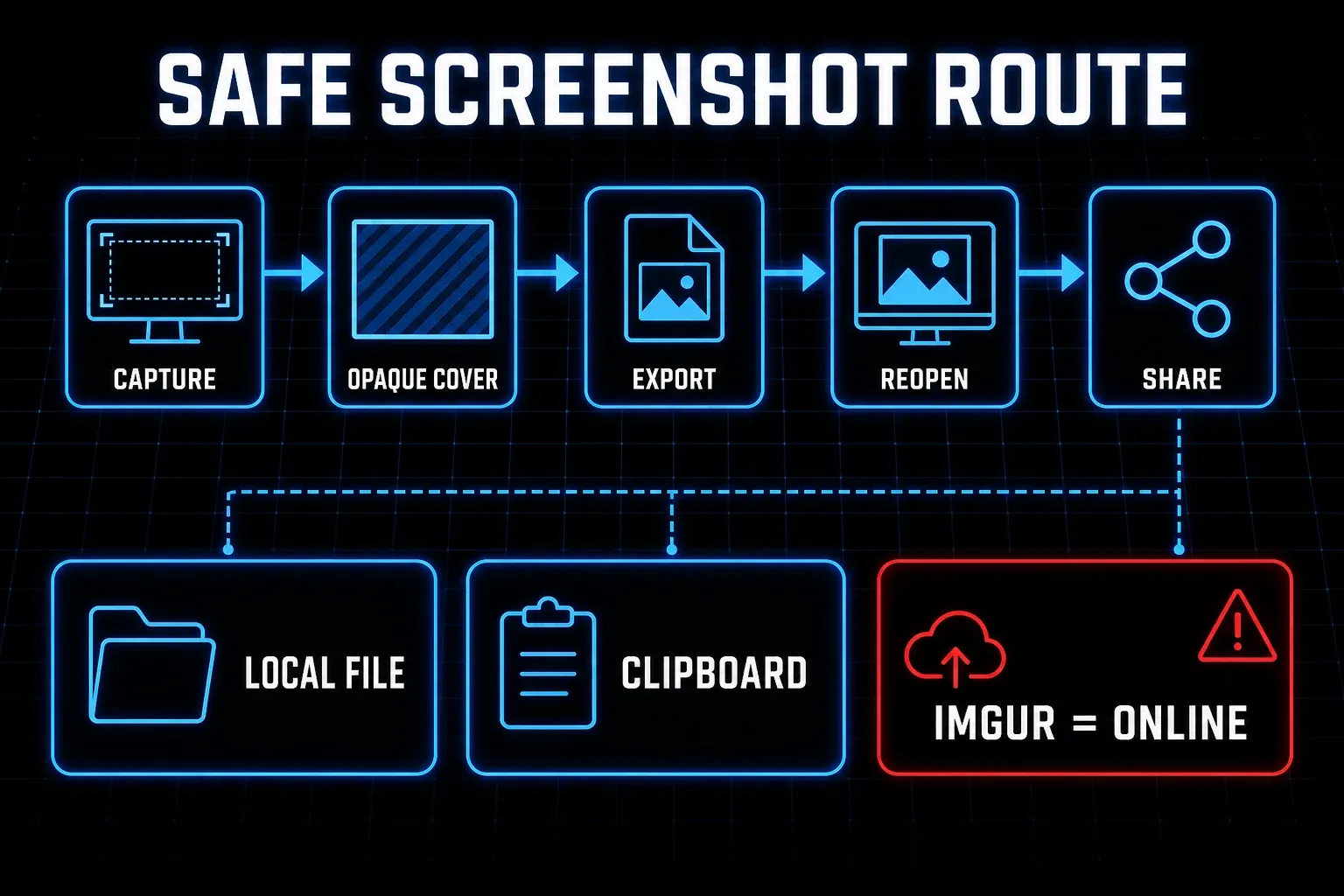
Flameshot can save to a local file, copy to the clipboard, or upload to Imgur — three separate actions. Its privacy guide says the app warns before an Imgur upload. Its project policy says the program does not send information to networked systems unless the user or operator requests it.
An Imgur upload is still an online disclosure. The Imgur guide says uploads are anonymous and are not attached to your profile, even when you supply a custom Client ID. Flameshot keeps a deletion route in the upload window and upload history, but the project also warns that online data leaves your direct control. Use a neutral test file before relying on upload or deletion.
Blur is a poor redaction method, and Flameshot's own guide agrees: it recommends pixelation with pixels larger than the line height, and says the safest listed option is a filled rectangle. For credentials, customer data, source code, or health information, cover the content locally, export a flat copy, reopen it, zoom in, copy it to a clean document, and only then share it. Snagit's redaction guide applies the same verification principle to its tools.
Free software and an annual subscription solve different costs
The current Flameshot repository identifies its license as GNU GPL v3.0. Ordinary use does not require you to publish your screenshots. If your company plans to redistribute a modified build, review the project's license details with whoever handles open-source compliance. Installing the packaged app and redistributing modified software are different activities.
TechSmith's store sells Snagit Individual as an annual per-user subscription billed yearly. Live checkout can vary by region, currency, tax, and promotion. TechSmith’s activation guide describes a fully functional 15-day trial.
Price the workflow you'll actually run. Flameshot may cost nothing in license fees and still need a separate recorder, OCR tool, storage convention, or editor. Snagit still requires a backup policy and an approved sharing destination on top of its subscription. The useful comparison is the smallest toolset that passes every required task, not the longest feature list.
Which tool should you choose?
Choose Flameshot for Linux and fast still captures
Use Flameshot when Linux support is mandatory, your output is a finished image, and CLI or hotkey control removes steps. Confirm your Wayland portal or X11 route, package version, monitor selection, and global shortcut before rolling it out.
Choose Flameshot for a free local annotation workflow
Use it when arrows, text, shapes, counters, crop boundaries, clipboard, and local files cover the job. Keep Imgur disabled for sensitive work. If you need reliable redaction, use an opaque cover and inspect the exported copy.
Choose Snagit for documentation and repeat revisions
Use Snagit when you need scrolling capture, OCR, editable SNAGX sources, Library retrieval, templates, or current vendor support across Windows 10/11 and macOS Golden Gate 27, Tahoe 26, or Sequoia 15. The Snagit review owns the broader value decision.
Compare another free tool before paying
If Flameshot's Linux setup or documented feature gaps do not fit, use the free Snagit alternatives hub. Windows users can continue with the Windows alternatives guide, while Mac users have a separate Mac alternatives comparison. The published Snagit versus Greenshot and Snagit versus ShareX pages own those pairwise choices.
Run this seven-task test before you switch
- Record the computer, operating system, desktop environment, display scaling, app version, package source, and permission state.
- Capture a region, one monitor, all monitors, a delayed menu, and a long page. Mark each task pass, workaround, or fail.
- Add text, an arrow, rectangle, counter, and opaque redaction. Copy the result and save a local file.
- Close the app, find yesterday's capture, reopen the working source, change an annotation, and export again.
- Extract text from one screenshot and record a 90-second clip with voice only if those tasks are required.
- Test the global shortcut after restart. On Linux, test both the normal desktop session and the exact Wayland or X11 setup used at work.
- Share a neutral test image through the approved route, check access while signed out, delete it, and verify that no sensitive original remains online.
Flameshot passes when the still-image route is fast, stable, and complete without hidden manual work. Snagit passes when its extra capture and source-management features remove enough repeated steps to justify the subscription.
Snagit vs Flameshot FAQ
Is Flameshot a good replacement for Snagit?
Yes for quick still capture, annotation, Linux support, custom shortcuts, and command-line actions. It is not a complete replacement when you need native scrolling capture, OCR, editable source management, a searchable capture Library, templates, or screen video.
Does Flameshot work on Windows and Mac?
Flameshot provides current download routes for Windows, macOS, and Linux. Windows offers installer and portable routes. On macOS, v14.0.0 has an ARM64 DMG; an Intel DMG is visible in the asset list, but the release notes say the Intel build was no longer included after beta binaries were reported as not working. Treat Intel support as a test item, grant screen-capture permission, and verify the exact build, shortcut, clipboard, multi-monitor setup, and operating-system version before relying on it.
Does Flameshot capture scrolling pages?
The current official Flameshot feature pages, command reference, and 14.0.0 notes do not document native scrolling capture. Use Snagit or another maintained scrolling tool if a long webpage or wide data set must be captured as one image.
Can Flameshot record video or extract text with OCR?
The current official Flameshot scope documents screenshot capture and annotation, not native screen recording or OCR. You can pair it with separate tools. Snagit includes screen and webcam recording, audio, basic video finishing, and text recognition in one application.
Is Flameshot safe for private screenshots?
Local save and clipboard do not invoke the Imgur upload action. If you choose upload, Flameshot warns first and the image is uploaded anonymously. For sensitive content, keep the file local, cover text with an opaque rectangle, reopen the flat export, and inspect it before sharing.
Is a Snagit subscription worth paying for over free Flameshot?
It can be when scrolling capture, OCR, reusable SNAGX sources, Library search, templates, or video removes repeated work. If you only capture, mark, copy, and discard still images, Flameshot may cover the task. Check the live annual per-user subscription terms, then use Snagit's 15-day trial and the seven-task test before paying.