
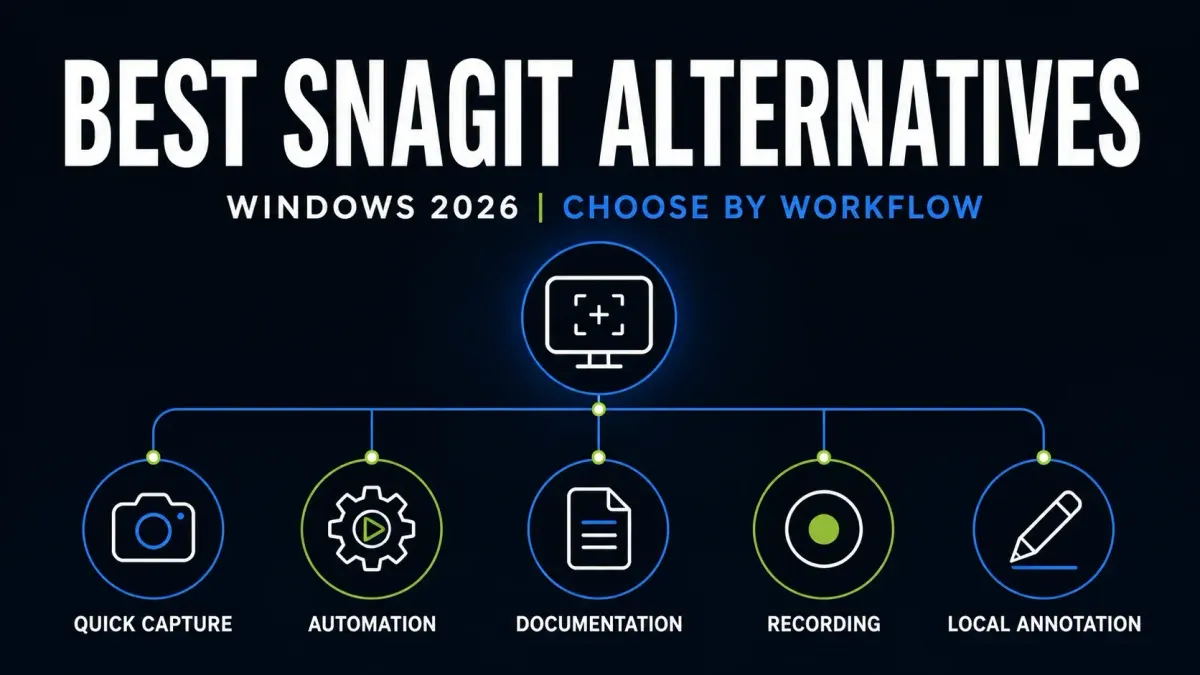
Try ShareX for a free Windows Snagit replacement with automation, FastStone Capture for a broad one-time purchase, or Screenpresso for documentation. If you only take the occasional screenshot, I’d start with Windows Snipping Tool. The other choices below suit simpler annotation, pixel measurement or video sharing. Shortlist the two that match the work you do day to day, then check whether your saved captures and required edits survive the switch.
Quick picks by workflow
- Built into Windows 11: Snipping Tool.
- Free automation and file routing: ShareX.
- One-time purchase with editable capture files: FastStone Capture.
- Documentation and workspaces: Screenpresso.
- Simple still-image markup: Greenshot.
- Capture, recording and pixel measurement: PicPick.
- Open-source annotation: Flameshot.
- Video messages and cloud links: ScreenRec.
| Alternative | Best fit | Cost model | Check before switching |
|---|---|---|---|
| Windows Snipping Tool | Occasional capture, OCR and recording | Included with Windows 11 | No native scrolling capture |
| ShareX | Capture automation and custom destinations | Free and open source | Review each task and upload setting |
| FastStone Capture | Broad toolkit; editable FSC files | $29.95 USD one-time at check | Windows only; test your source-file workflow |
| Screenpresso | Documentation, workspaces and video | Free tier; one-time Pro | Current branch needs Windows 11/Server 2022 |
| Greenshot | Region capture and simple markup | Free Windows download | Still-image focus; no universal modern scrolling claim |
| PicPick | Scrolling capture, video and design utilities | Free personal use; paid business use | Free edition cannot cover business work |
| Flameshot | Local screenshot annotation | Free and open source | Not a full recording/documentation replacement |
| ScreenRec | Video messages and sharing links | Free personal plan; paid business use | Offline capture can upload after reconnection |
How these eight were selected
Each of these eight fits a different Windows workflow, so they aren’t interchangeable versions of Snagit. The order is there to help you find your way around and isn’t a speed or quality score. Every recommendation below comes with a specific use case and a reason you might reject it.
One useful detail in a 2026 screenshot-tool discussion is the original poster’s need for fixed regions, presets and consistent filenames across many captures. It’s one person’s requirement, not a poll, but it shows why your replacement test should cover repeated work and reopened files as well as the first screenshot.
This page is the Windows switching guide within my Snagit alternatives hub. If zero purchase cost is your main constraint, use the free alternatives comparison instead. And if you’re choosing a screenshot app without an existing Snagit workflow, the Windows screenshot software guide includes Snagit itself.
1. Windows Snipping Tool: best built-in option
Before you install another app, try Microsoft’s current Snipping Tool. On Windows 11, Windows + Shift + S starts a screenshot and Windows + Shift + R starts a selected-region recording. Image modes cover rectangles, freeform selections, windows and the full screen. Text Actions extracts text; drawing and shapes handle simple markup, and recordings can include your microphone.
For an error message, a chat reply or a short demonstration, that can be all you need. You avoid buying a separate capture app, though you still have updates and IT-management work to handle. Check which features your installed version has, and follow your organization’s software policy.
Microsoft says Snipping Tool doesn’t natively capture scrolling webpages. Do not assume it will replace a collection of editable Snagit projects or a reusable documentation process just because it captures the same region. The Snagit vs Snipping Tool comparison helps you tell those needs apart.
2. ShareX: best free automation option
ShareX is a free, open-source Windows tool with still and scrolling capture, video and GIF recording, OCR, an image editor and configurable actions. Version 22.0.0, which its changelog calls the biggest update in the project’s 19-year history, rebuilt the whole interface and added native screen recording with system audio, microphone and camera overlays, so treating the app as a basic upload utility would miss much of what it does. The developers expect that rewrite to be significantly less stable than their usual releases, so for a team rollout I’d put the current 22.x build on one PC first.
ShareX is worth trying when you want a specific sequence after capture: save with a naming rule, apply an effect, copy a path, run a command or send the result to a chosen destination. Set up one real task first, then decide whether the extra controls help you.
Automatic uploading is disabled by default for new installations since version 19.0.1. Existing settings and imported tasks still need a review, so check what each capture action does before you use it with private data. For text extraction, confirm the languages you need in the ShareX OCR instructions. The Snagit vs ShareX guide compares this configurable workflow with Snagit’s editor and documentation tools.
3. FastStone Capture: best broad one-time toolkit
FastStone Capture 11.3 includes region, window, menu, fixed-area and scrolling capture. It also offers annotation, pin-to-screen, OCR and recording with microphone, system audio and camera options. Video output includes MP4 and WMV, and version 11.3 added MP3 for audio-only recordings. The app still supports some older systems, but its OCR feature needs Windows 10 or 11.
The FSC format keeps image data and annotation objects for later edits. Workspaces group editor tabs. Both help if you revisit screenshots, but they don’t show that FastStone can import your existing SNAGX library. Try reopening a sample FSC file, changing a label and exporting a separate copy for sharing.
The official order page lists a 30-day trial and $29.95 USD lifetime licence with free upgrades. Those terms apply to FastStone Capture; Image Viewer is listed separately. A family licence covering up to five home computers costs $69.95, and the single licence comes with volume discounts.
4. Screenpresso: best Windows documentation suite
Screenpresso’s feature tour covers scrolling capture, annotation, a workspace and document generation. The release history marks 2.3.10.0 as the current stable build. Go by its packaging note: since version 2.3.0.0 the app ships as an MSIX package and can’t run in portable mode, even though the generic feature page still advertises a no-install option.
The current plan comparison allows the free tier at work, with limits on editing and branding. Pro is a one-time licence with OCR, document generation, 4K/HDR recording and system audio. One Pro licence covers one person on up to five computers.
Pro includes one year of maintenance, and after that you can keep the last eligible version. Current requirements list Windows 11 or Server 2022, x64 or ARM64, 4 GB RAM and 1 GB disk. Citrix, RDS and VMware VDI require Enterprise. For a managed rollout, check the right edition and the MSIX deployment with IT before you buy.
5. Greenshot: best simple still-image editor
Greenshot’s stable Windows download is 1.3.328, and it’s free. The $1.99 offer on that page belongs to its Mac App Store button, not the Windows installer. The open-source Windows project focuses on region, window and full-screen captures with annotations and export choices.
Greenshot is worth a try if your usual job is to capture an area, add arrows or text, and send the image. Count how many actions that takes in your setup.
The official scrolling description refers specifically to Internet Explorer. That isn’t a promise of scrolling capture in current browsers, and it’s no reason to run an obsolete browser. For recording, OCR-heavy work or maintained documentation, compare the fuller tools above. The Snagit vs Greenshot guide covers the still-image tradeoffs.
6. PicPick: best capture plus design utilities
PicPick 7.6.2 is the listed stable release; the separate 8.0 downloads are beta builds. PicPick includes scrolling screenshots and screen recording, with system audio and microphone options, as well as a color picker, pixel ruler, magnifier, protractor, crosshair and whiteboard.
It’s a candidate for interface review, where you capture, measure pixels, sample colors and annotate. There’s an official portable ZIP if your organization permits it. If you need OCR or an editable source archive, check that exact task separately, because a long feature list doesn’t prove it replaces every Snagit project.
PicPick’s licence FAQ limits free use to personal, non-commercial work. Business and client work require Pro. The same page offers a yearly subscription or a limited-time $79 USD single-user lifetime licence instead of $99, and each licence covers one user on up to two computers. Its update FAQ refers to future updates within the current major version, not an unconditional promise of every future major release. VAT or local tax can be added at checkout.
7. Flameshot: best local open-source annotation
Flameshot is free and open source, with Windows, macOS and Linux packages. Its capture tools include arrows, shapes, text, clipboard and file output. The 14.0.0 release, the current stable version, adds a global capture shortcut on Windows and changes monitor handling, scaling and portable configuration. Check the package for each operating system instead of assuming every platform build is identical.
Pick it for still-image annotation, and don’t count on it to replace recording, OCR or a documentation library. Before you commit to a repeated editing workflow, save a marked-up image and reopen it.
Check the package before relying on an upload action. The Flameshot 13 release notes say its Imgur uploader is disabled by default at compile time; a build can enable it again. When enabled, that action sends the image to Imgur. The Flameshot privacy guide recommends a filled rectangle for private information and warns about recoverable detail under blur or small pixelation blocks. Version 13 also changed the pixelation implementation, so that warning is not evidence that every current pixelation mode has the same weakness. Inspect the exact file you share and keep the editable source private.
8. ScreenRec: best quick video-link workflow
ScreenRec records your screen, camera, microphone and computer audio, and exports MP4 files. It also supports screenshots and cloud sharing. Consider it for bug reports or short demonstrations when sending a viewing link matters more than keeping an editable screenshot project.
The current free plan is for personal use: 720p, one seat, no watermark and 2 GB cloud storage. Monthly allowances list 50 videos, 100 screenshots, 10 automatic cloud-sharing links and 2 GB bandwidth. Registering lifts the five-minute recording limit for unregistered users, but it doesn’t remove those plan quotas. Business use requires a paid plan. Check the current limits before you rely on older “unlimited free” descriptions.
Offline recording does not mean permanently local-only storage. ScreenRec’s recorder page says offline captures upload once the connection comes back. Do not record confidential material on the assumption that disconnecting the computer prevents later sharing. Before you use it, confirm where the data is allowed to go, who owns the account, who has access, and how retention and deletion work.
Compare license and cost models before features
Included, open-source, one-time, and subscription products each leave you with different obligations. “Free” can mean no purchase price, personal use only, branded output, limited cloud storage, or paid support. Even open source still needs approved packaging, updates, and configuration.
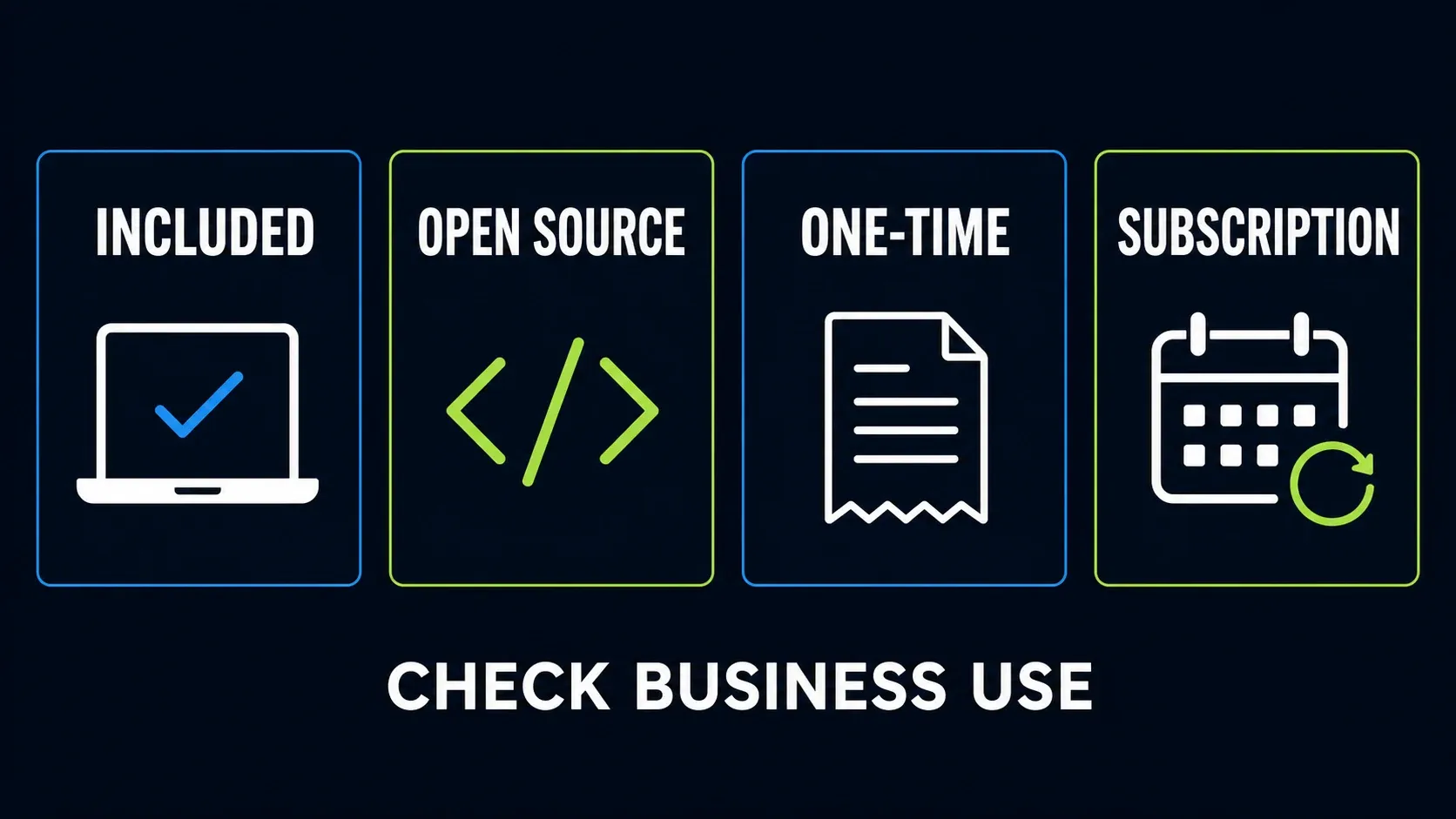
- Included: Snipping Tool arrives with Windows 11, but its feature set still depends on the installed app version.
- Open source: ShareX, Greenshot for Windows, and Flameshot expose their projects, but you still need a release and update policy.
- One-time: FastStone sells a lifetime license; Screenpresso sells a one-time license with a maintenance window; PicPick offers a limited-time lifetime option.
- Subscription or cloud plan: ScreenRec separates personal free use and paid business use. Storage, resolution, seats, and support depend on the plan.
For Snagit itself, the current pricing and license guide explains the annual model and business boundaries. Compare the cost of the whole workflow instead of a single checkout number.
Choose a privacy path before real capture
A screenshot tool can see customer records, private chats, file paths, account names, browser tabs, and notifications. Recording adds microphone, system audio, camera, and longer exposure. Decide where captures are allowed to live before you point any candidate at real work.
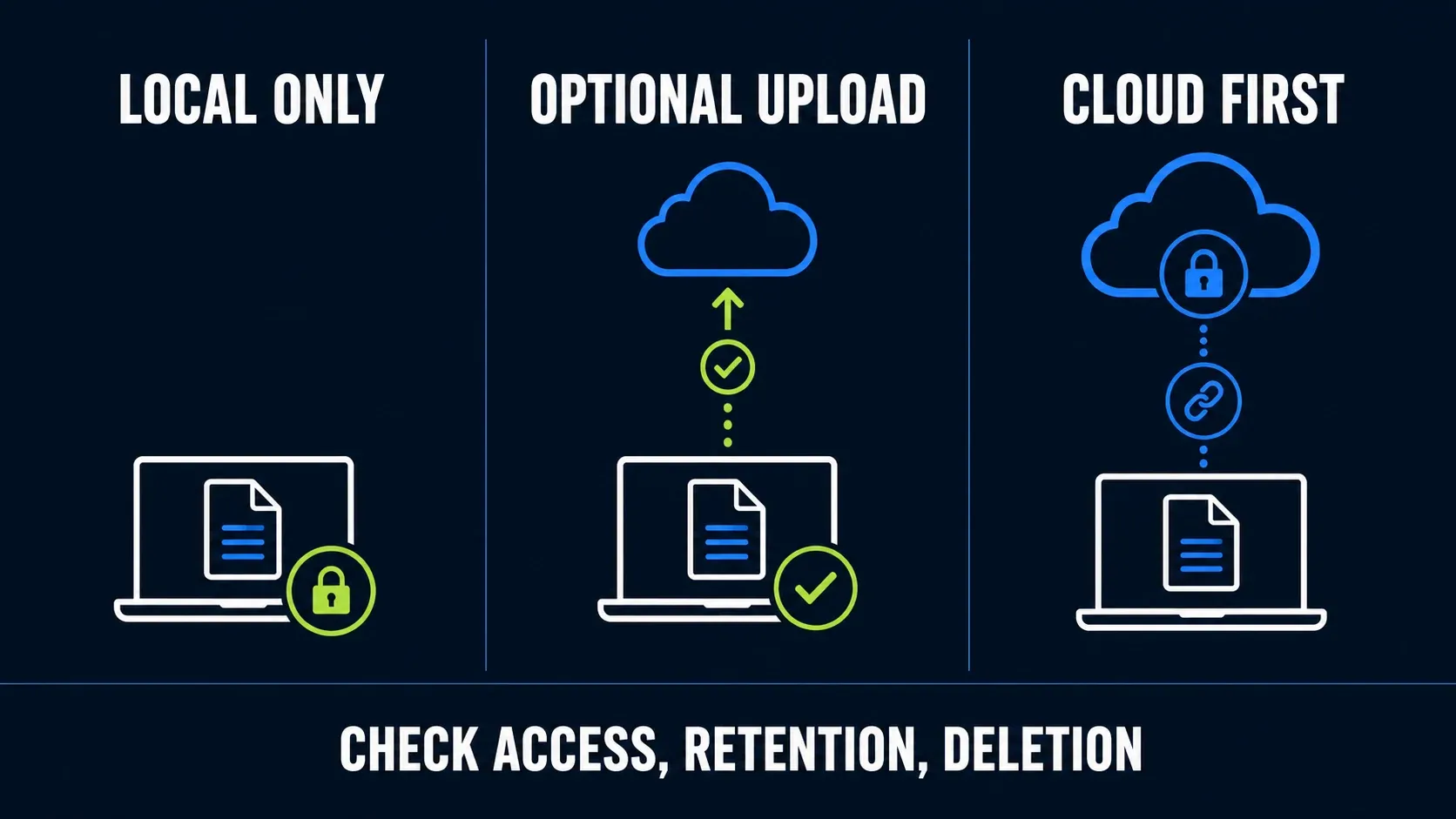
Local only
Save to an approved folder and keep all upload actions disabled. This path fits confidential material and offline work, but local files still need access control, backup, and deletion rules.
Optional upload
Capture and edit locally, and upload only after you’ve reviewed the file. Each time, check the destination, account, viewer access, expiry, and delete control.
Cloud first
A managed service makes sense when instant links, viewer analytics, team spaces, or retention controls are what you need most. Find out whether capture starts uploading automatically and who owns the content when a user leaves.
For redaction, replace sensitive values before you capture whenever you can. If that isn’t possible, use a solid opaque cover and export a flattened copy. Then reopen it in another app and confirm the hidden value can’t be moved or selected. The redaction verification guide gives a release check that applies to every tool here.
Run the same five-part replacement test
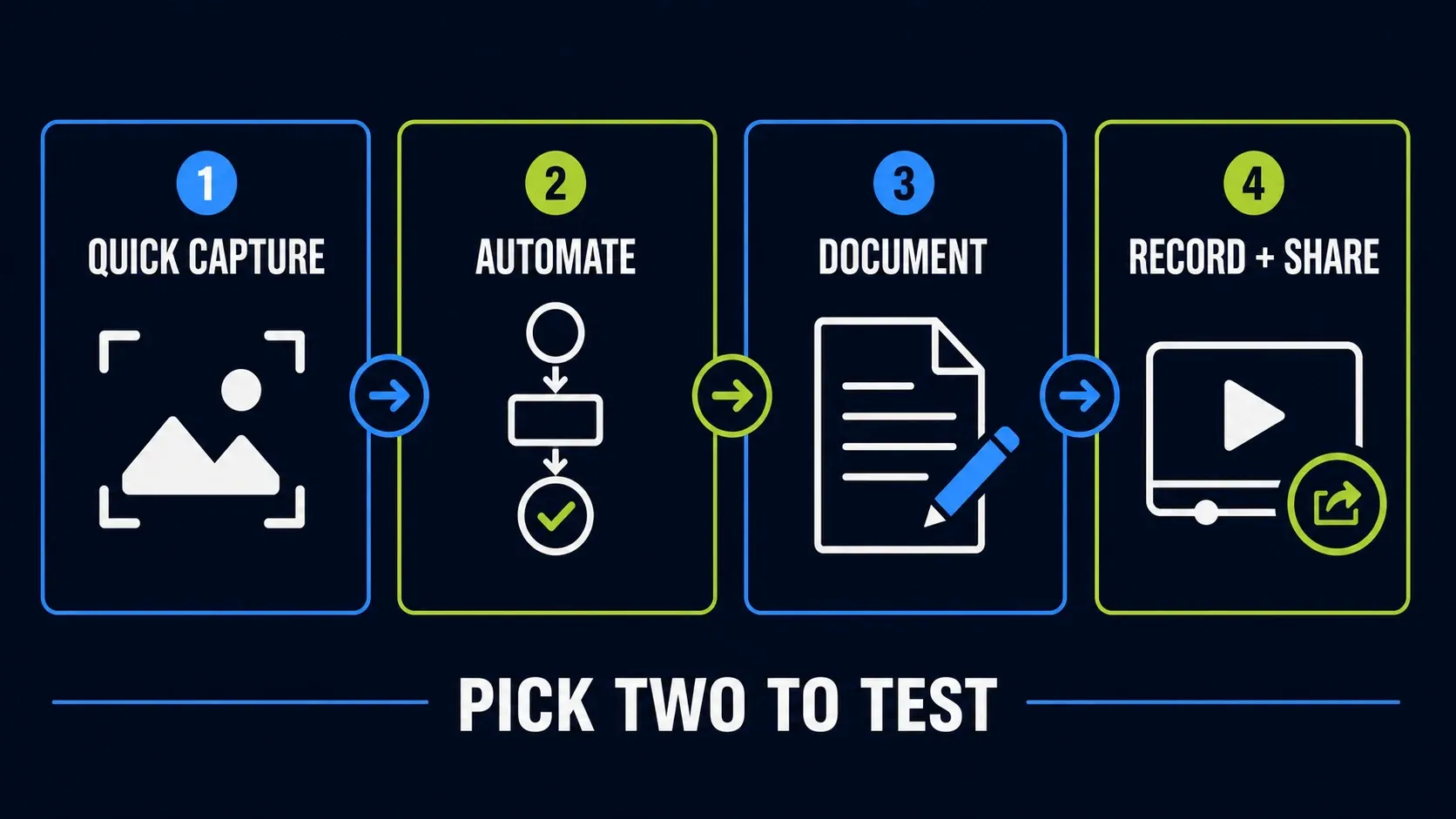
A feature table can’t tell you whether capture works in your browser, desktop app, remote session or display setup. Mark which of these five tasks you need, then run them with safe sample data in your two shortlisted tools. A video feature you won’t use shouldn’t rule out a tool for still screenshots.
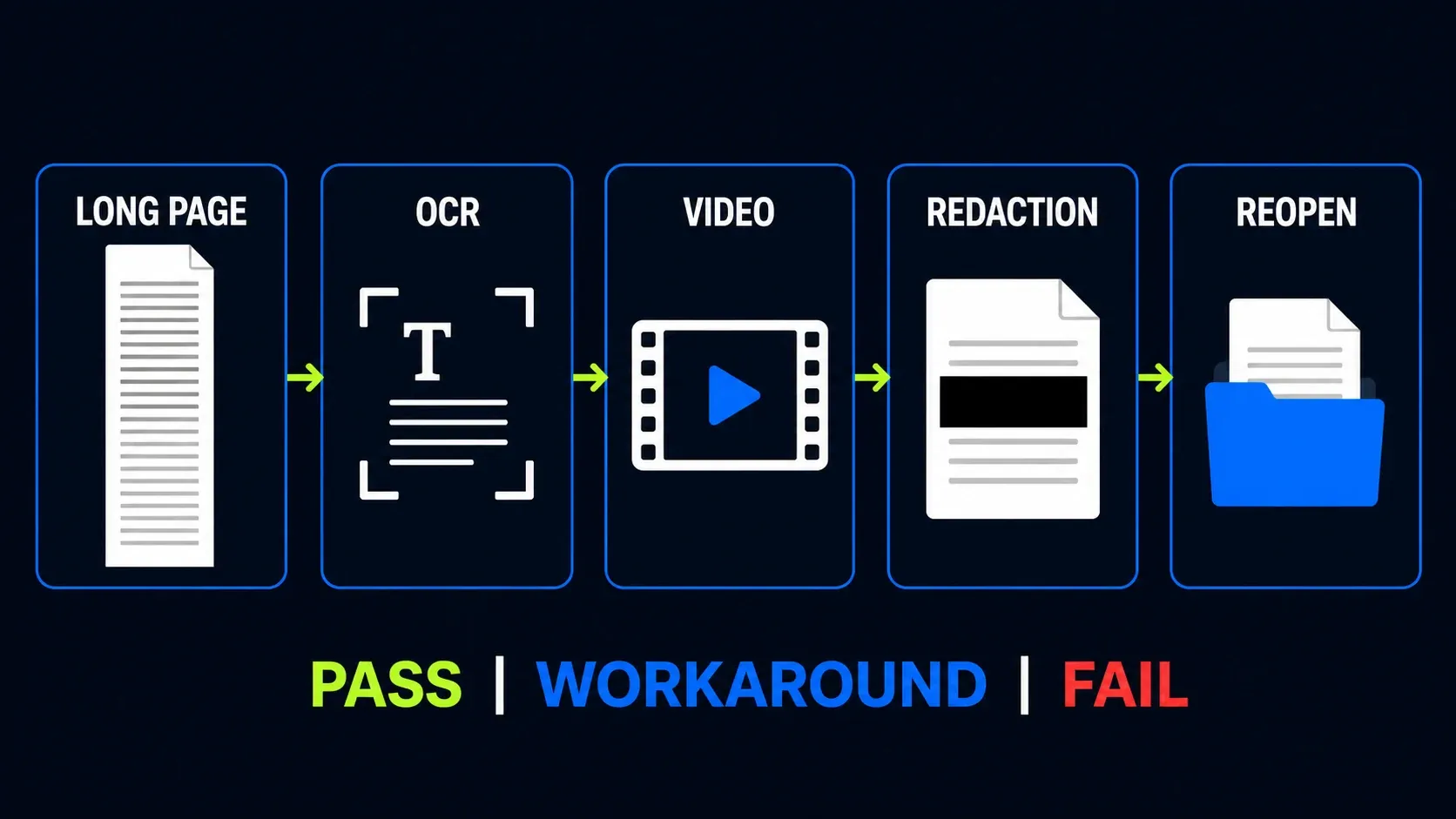
- Long page: capture a page with a sticky header and lazy-loaded content. Inspect repeats, gaps, and seams at full size.
- OCR: copy a realistic error message. Check punctuation, line breaks, digits, paths, and code characters.
- Video: record 30 seconds with the audio sources you need. Play the exported file in another app.
- Redaction: cover dummy account data with a solid object, flatten the file, reopen it, and try to reveal or select the value.
- Reopen: close the editor and reopen the source or export. Confirm that required edits, dimensions, naming, and quality survive.
Mark each required task as pass, workaround or fail. If you need a workaround, write it down and repeat the task a few times. Count the extra actions alongside licence cost, because one successful capture isn’t a performance benchmark.
If scrolling is the deciding task, the Snagit scrolling capture guide describes the failure patterns worth reproducing in every candidate. When video is what decides it, use the Snagit screen recording guide as your requirements checklist.
When keeping Snagit makes sense
Keep Snagit on the shortlist if you still rely on editable SNAGX captures, reusable styles, templates, Step Capture, OCR or its Library. What matters is whether the replacement keeps the work you depend on, and a shorter feature list doesn’t answer that. Do not assume a different Windows tool provides the same workflow on a Mac.
Before uninstalling or cancelling access, protect existing work. Follow the Snagit Library backup steps, keep the original SNAGX source files, and export separate copies of anything you need to share without Snagit. Then open representative exports in the replacement app. A flattened image keeps its look but loses Snagit’s movable annotation objects, so don’t delete the originals after one successful export.
If your work is narrower, a simpler app may be enough. Compare its licence, update process, output files and the manual work you’d keep repeating. The Snagit review helps you see which features you still use, and the Editor guide explains the editing workflow you’d be replacing.
Snagit alternatives for Windows FAQ
What is the best free Snagit alternative for Windows?
For a built-in Windows 11 option, start with Snipping Tool. Try ShareX for capture automation, Greenshot for simple still-image markup, or Flameshot for annotation. Free pricing does not remove the need to check deployment and upload settings.
Which Windows alternative is closest to Snagit?
FastStone Capture and Screenpresso are strong candidates for broader Windows workflows. FastStone includes editable FSC files and a one-time licence; Screenpresso emphasizes workspaces and document output. Neither should be treated as an automatic importer for your existing Snagit projects. Test your required tasks and preserve the originals.
Can Windows Snipping Tool replace Snagit?
It can replace narrower tasks such as screenshots, text extraction, simple markup and short region recordings. Microsoft says it does not natively capture scrolling webpages. It is not a substitute for every editable Snagit project or established documentation process.
Which Snagit alternative has scrolling capture?
ShareX, FastStone Capture, Screenpresso and PicPick document scrolling capture. Test your actual browser or application, including sticky elements and lazy-loaded content. A listed feature does not guarantee a clean result on every page.
Which alternatives can record screen video?
Windows Snipping Tool, ShareX, FastStone Capture, Screenpresso, PicPick and ScreenRec record screen video. Their audio, camera, export and plan limits differ. Test a short sample with the sources you need, then play the exported file in another app.
Is PicPick free for business use?
No. PicPick limits its free edition to personal, non-commercial use. Business and client work require Pro. Do not confuse PicPick’s terms with Screenpresso’s free tier, which its current pricing page allows at work with feature and branding limits.
Are open-source screenshot tools safe for work data?
Open source does not remove deployment, privacy or configuration risk. Use the official project, review updates and upload actions, and follow your organization’s rules for sensitive captures. For redaction, verify the flattened shared file and keep editable sources private.